








There was a time when carrying a wallet full of plastic payment cards was the coolest thing. I even had one of those little steel card holders that could fit multiple cards and slots right into your wallet. Now, you can do almost everything on your phone, including making payments with a virtual dollar card.
Don’t get me wrong, physical dollar cards haven’t gone anywhere. You can still get one and use it conveniently. But if you prefer to carry just your phone, a virtual dollar card gives you that flexibility.
Both physical and virtual dollar cards serve similar purposes, but they have different features and uses. So let’s compare them and see which one is better for you.
What Is a Physical Dollar Card?
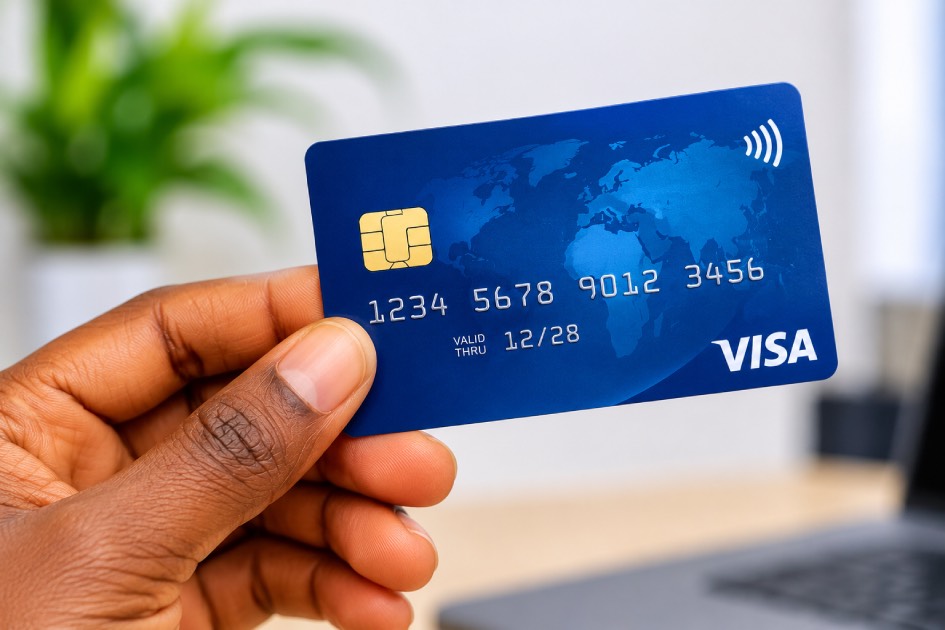
A physical dollar card is a tangible payment card issued by a bank or financial service provider that allows you to make transactions in US dollars. It comes with a card number, expiry date, and CVV, just like a regular debit or credit card.
What Is a Virtual Dollar Card?
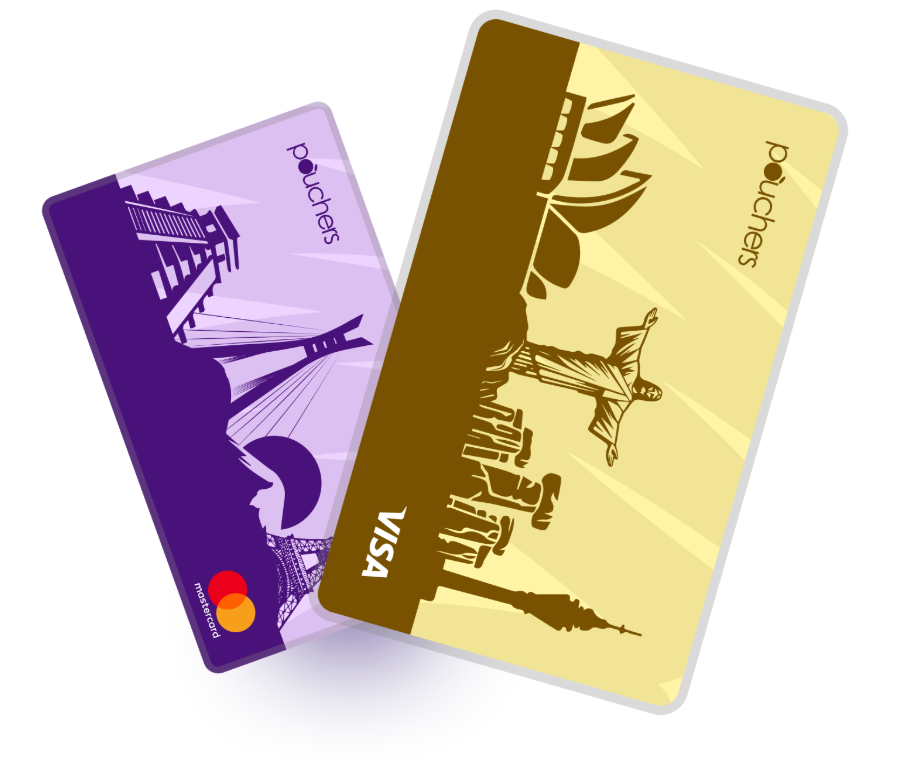
A virtual dollar card is a digital payment card that allows you to make transactions in US dollars without needing a physical card. You create the card online through a bank or financial service provider, and it also comes with card details, including a card number, expiry date, and CVV.
Physical Dollar Card vs Virtual Dollar Card: Comparison and Key Differences
Here’s a quick side-by-side comparison of their main features.
| Feature | Physical Dollar Card | Virtual Dollar Card |
| Card format | A physical card, usually made of plastic or metal | A digital card you access on your phone or through an app |
| Application | You may need to visit a bank or apply through a provider’s app | You can usually apply and create one through a provider’s app |
| Issuance speed | May take anything from a few hours to a few days, depending on card production and delivery. | Often available within minutes after approval, depending on the provider. |
| Online payments | Accepted on international websites that support the card’s network. | Designed for online payments on websites and apps that accept the card’s network. |
| In-store payments | You can pay at supported POS terminals by inserting, swiping, or tapping your card. | You can pay at compatible contactless POS terminals using your phone and a supported mobile wallet, such as Apple Pay or Google Pay. |
| ATM withdrawals | Cash withdrawals are possible at supported ATMs if the issuer allows them. | Most virtual cards do not support ATM withdrawals |
| Funding | You can fund it through a linked dollar account, such as a domiciliary account, using dollar deposits or transfers. | You can fund it through a linked wallet using naira bank transfers, currency conversion, or supported stablecoins, depending on the provider. |
| Security | It can be lost, stolen, or cloned, and its details can be compromised | Your card details can be exposed, or someone could gain access through your account or device |
| Costs | The card charges may include card issuance, annual maintenance, and transaction fees. | Possible charges include card creation, funding, maintenance, and transaction fees. |
Let’s break it down a little further.
1. Funding
Physical Dollar Card:
Most bank-issued physical dollar cards are linked to a USD domiciliary account, which you can fund through dollar deposits or transfers. Others are prepaid dollar cards that you need to load separately. UBA’s Dollar Prepaid Card is an example. You don’t need to link it to a domiciliary account. Instead, you add funds to the card through the UBA Mobile App, Internet Banking, or Leo.
Virtual Dollar Cards:
These are usually funded through the provider’s app, using the money in your connected wallet. Depending on the provider, you may be able to fund your card with naira converted to dollars, an existing USD balance, or stablecoins. For example, Pouchers allows you to fund your virtual dollar card directly from your Naira or USD wallet, or supported stablecoins such as USDT and USDC.
2. Online, In-Store Payments and Cash Withdrawals
Physical Dollar Card:
You can use a physical dollar card to pay for online shopping, hotel bookings, flight tickets, and other international purchases. It also comes in handy for in-store payments while travelling, such as paying for groceries, meals, or transport. Some cards also allow cash withdrawals from supported ATMs when you need physical cash abroad.
Virtual Dollar Cards:
Virtual dollar cards work for similar online payments and subscriptions. However, most virtual dollar cards don’t support ATM withdrawals. Some virtual card providers support contactless payments through mobile wallets like Apple Pay and Google Pay. This allows you to add your card to a supported wallet and pay at compatible POS terminals using your phone.
3. Security and Card Management
Physical Dollar Card:
Physical dollar cards commonly use chip-and-PIN security to protect in-store payments. Online transactions may require an OTP or another verification step to confirm that you’re the one making the payment.
Since physical cards can get lost, stolen, or damaged, someone who finds yours may attempt to use it, especially if they also have your PIN or card details. Some banks offer transaction alerts, spending limits, and mobile app controls that let you freeze or block your card if it goes missing or you notice suspicious transactions.
Virtual Dollar Cards:
Virtual dollar cards don’t come with the risk of being physically lost, stolen, or damaged. However, their details can still be exposed if you enter them on untrustworthy websites or share them with someone.
To protect your funds, some providers offer security features such as transaction alerts, spending limits, fraud monitoring, and the option to freeze or unfreeze your card directly through their apps. For example, Pouchers allows you to freeze your card if you notice suspicious activity or want to stop further payments.
Physical Dollar Card vs Virtual Dollar Card: Which Should You Choose?
The right choice depends on how you intend to use your card. Here are a few situations to consider:
1. In-Store Payments and Cash Withdrawals
- A physical dollar card is a better choice if you regularly shop in person, travel abroad, or need to withdraw cash from ATMs. You can use it at compatible POS terminals without relying on your phone or a mobile wallet.
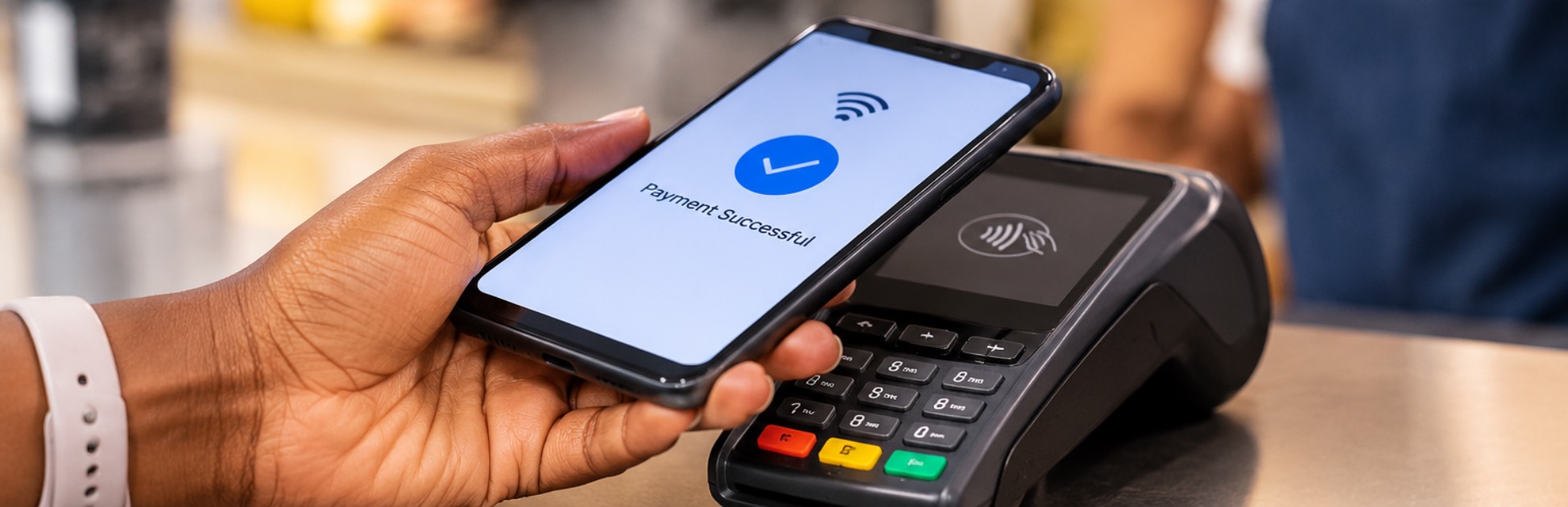
- A virtual dollar card may suit you if you prefer contactless payments. You can add it to a supported mobile wallet and pay with your phone without carrying an extra card.
2. Online Payments and Subscriptions
- A virtual dollar card may be the better option if most of your spending happens online. You can access your card details through an app, create one without waiting for physical card production, and manage your payments from your phone.
- A physical dollar card can also handle online payments, but you may find a virtual card more convenient if you regularly pay for international subscriptions, shop on foreign websites, or purchase digital services
How to Get a Physical Dollar Card
The process of getting a physical dollar card generally involves these steps:
- Choose a bank or financial service provider and compare its card options, fees, and funding requirements.
- Check whether you need a domiciliary account or another account to fund the card. Prepaid cards have different requirements.
- Complete the card application form through the provider’s mobile app or at a branch, depending on the available application methods.
- Provide the required information and documents. These may include your BVN, a valid means of identification, passport photographs, and personal details.
- Pay the applicable card issuance fee and submit your application.
- Collect your card at the designated branch or have it delivered if the provider offers delivery. Follow the provider’s instructions to activate it and set your PIN before use.
Note: The exact requirements and application process vary by provider. For example, UBA allows customers to request an instant or personalized Dollar Prepaid Card at a branch. You don’t need a UBA account to own one, but you need a UBA account to fund it.
How to Get a Virtual Dollar Card with Pouchers
You can easily get the Pouchers virtual dollar card, which is one of the best virtual dollar cards in Nigeria. With Pouchers, you can create your virtual dollar card in seconds and fund it directly from your Naira or USD wallet. You can also use supported stablecoins such as USDT and USDC to fund your card through your USD wallet.
When creating your card, you can choose between Visa and Mastercard, depending on your preference and the platform you are using. Pouchers also offers Standard and Premium cards, with the Premium option supporting additional features such as Apple Pay and Google Pay. Both cards have a one-time creation fee and no monthly maintenance fee.
Creating your card is straightforward. Here’s how to get started.
Step 1. Download the Pouchers App or Log In
Download the Pouchers app and create an account if you’re new to the platform. If you already have an account, simply log in with your details.
Step 2. Fund Your Pouchers Wallet
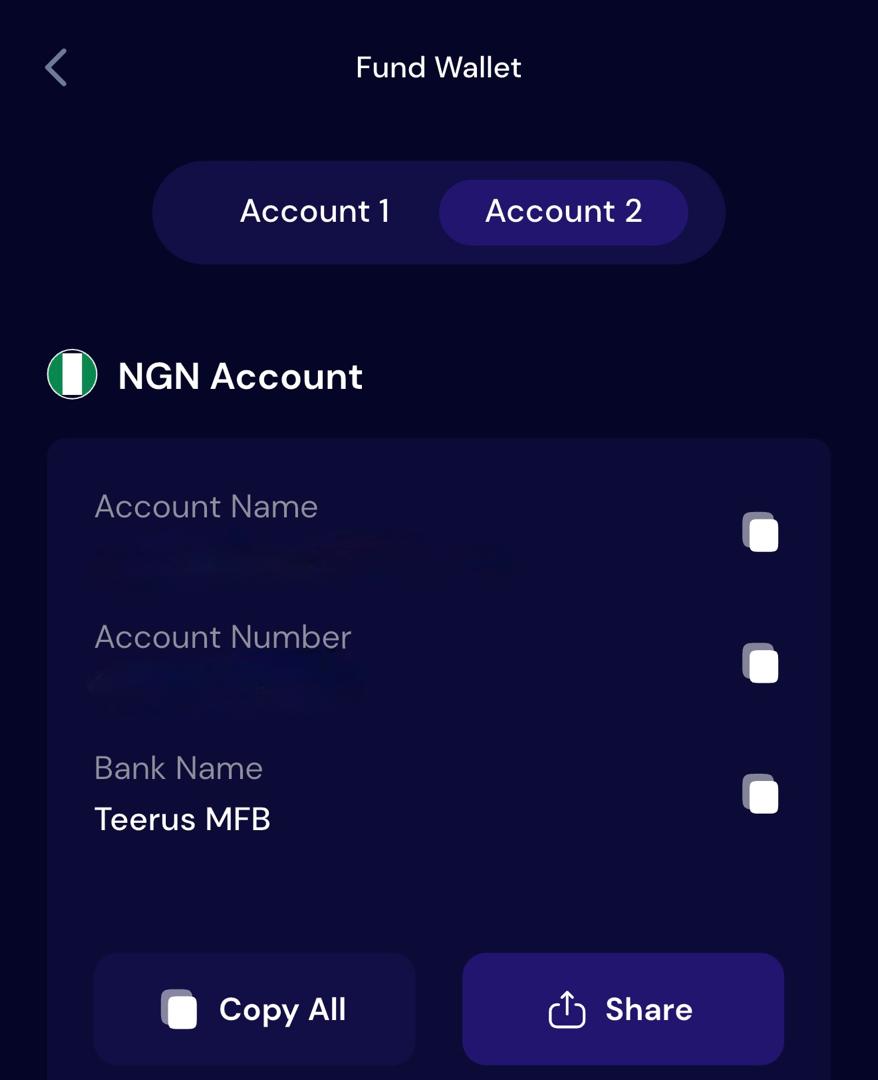
Fund your Pouchers wallet with enough money to cover the card creation fee and the amount you want to load onto your card. You can fund your Naira or USD wallet, or deposit supported stablecoins such as USDT and USDC into your USD wallet.
Step 3. Open the Virtual Cards Section
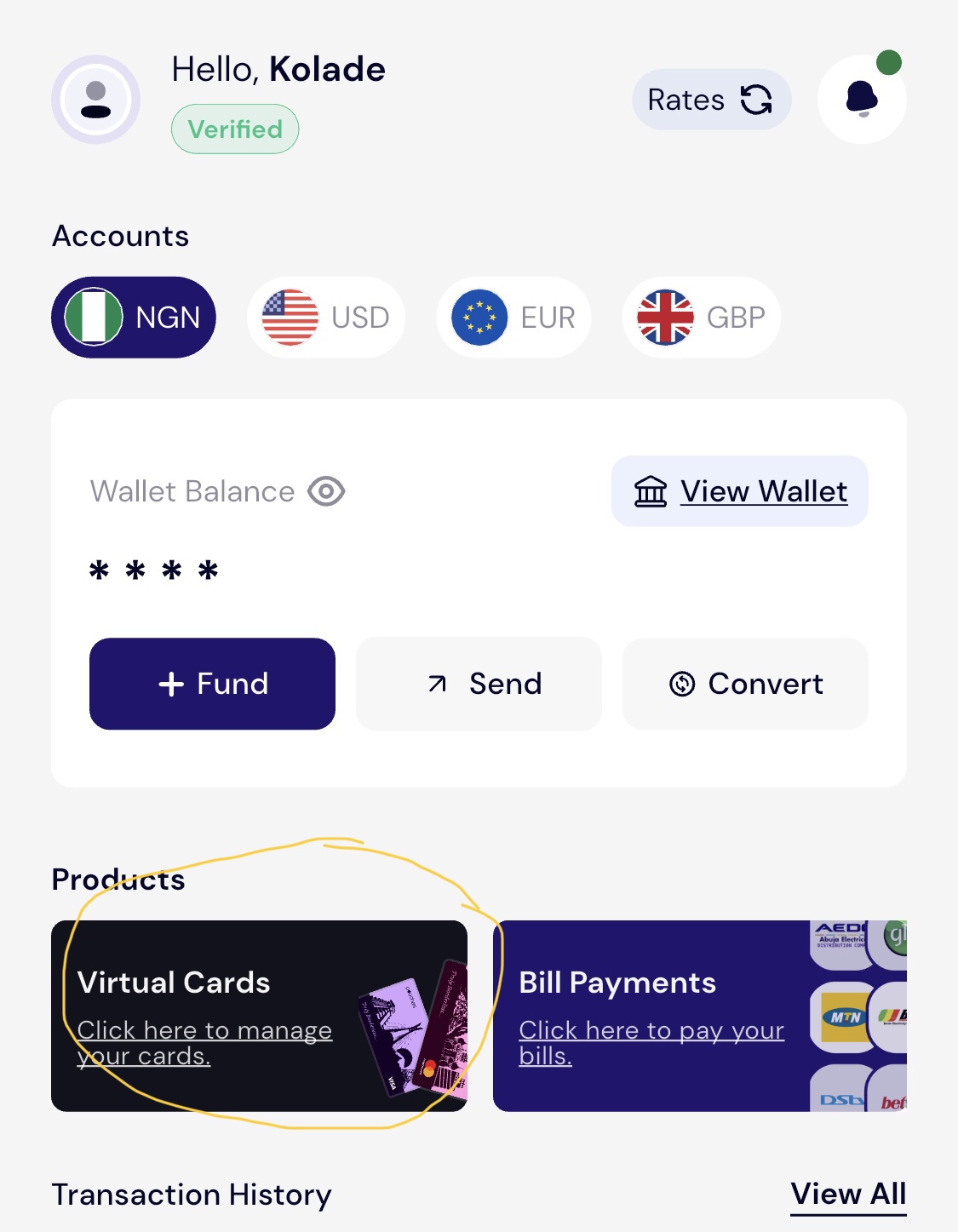
From the Pouchers homepage, tap Virtual Cards or select Cards at the bottom of the app to view the available card options.
Step 4. Choose Your Card Type and Network
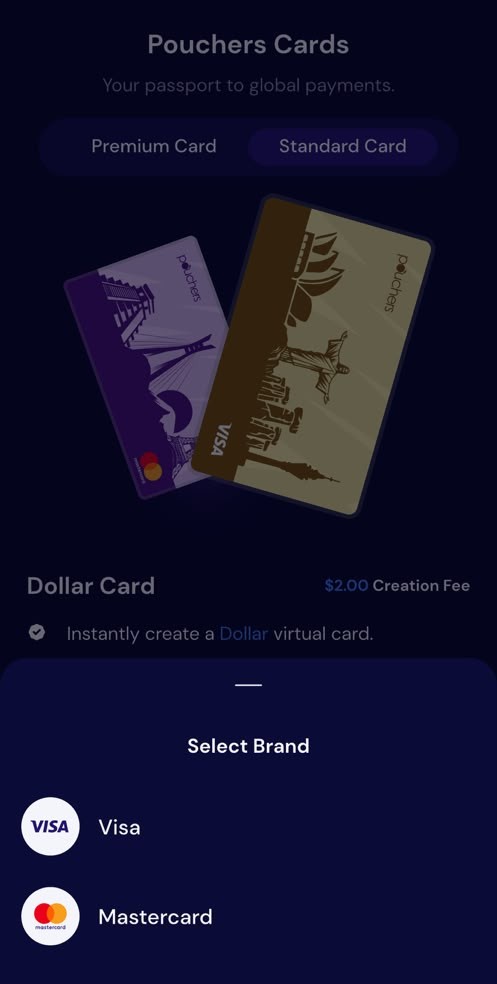
Select either the Standard or Premium Card, depending on the features you need. Then choose your preferred card network, Visa or Mastercard, when prompted.
Step 5. Enter Your Address Details
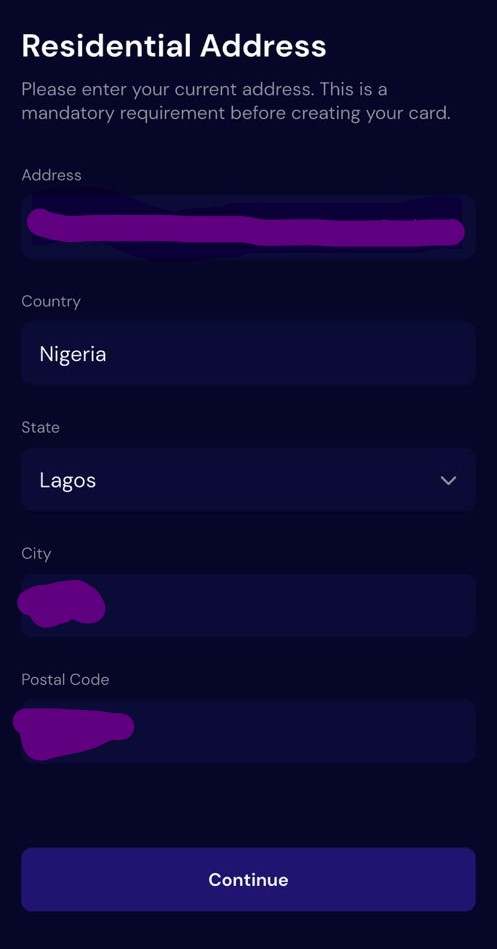
Fill in your residential address and any other information requested on the screen. Review your details and tap Continue to proceed.
Step 6. Review the Fees and Create Your Card
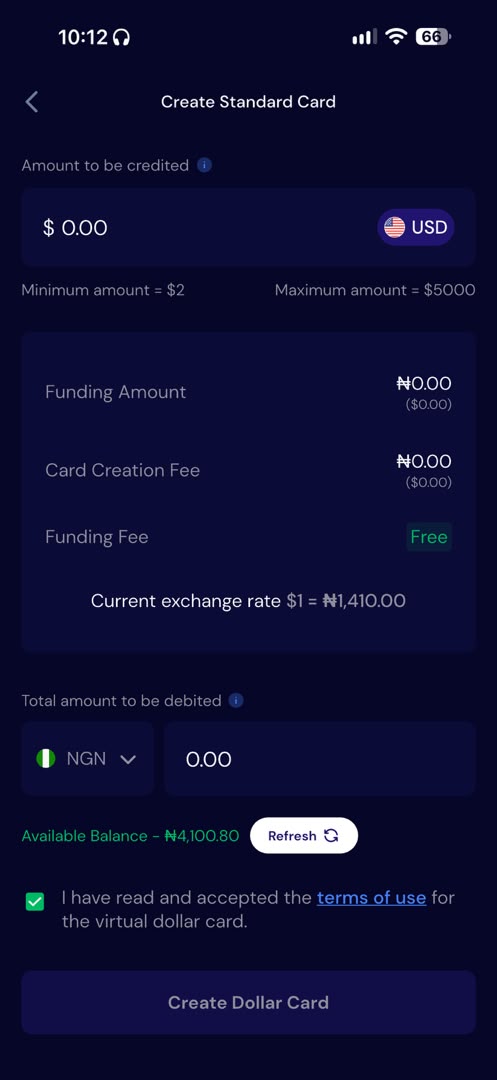
Follow the prompts to confirm the card creation fee and enter the amount you want to fund your card with. Review the details, accept the terms, and confirm your request.
Frequently Asked Questions
1. Can I use a virtual dollar card for in-store payments?
Yes, some virtual dollar cards support in-store payments through mobile wallets. You can add your card to a supported wallet and use your phone to pay at compatible contactless POS terminals.
2. Which is safer, a physical or virtual dollar card?
A virtual card may be safer for online payments because there is no physical card to lose or have stolen. However, its details and the account linked to it can still be compromised, so both card types require careful use and proper security measures.
3. Can I use a physical dollar card without a domiciliary account?
Yes, some banks and financial service providers offer prepaid cards that you can fund separately without opening a domiciliary account. However, other physical dollar cards require a linked domiciliary account, so check the provider’s requirements before applying.
4. Can I have both a physical and virtual dollar card?
Yes, you can have both, even if they are issued by different banks or financial service providers. You can use your physical card for in-store payments and ATM withdrawals, and your virtual card for online purchases and subscriptions.
Get Your Virtual Dollar Card with Pouchers
Ready to make international payments without hassle? Create your Pouchers Virtual Dollar Card and get started in minutes.
Sources Used:
- UBA Prepaid Cards – UBA
- Prepaid Dollar Card Application Form – GTBank
- Best Virtual Dollar Card in Nigeria – Pouchers
- How to Get a Virtual Dollar Card in Nigeria – Pouchers
- How to Fund Your Virtual Dollar Card with Naira – Pouchers Help Center
- How to Fund Your Card with Your USD Account – Pouchers Help Center