








You have chosen a domain name, checked that it’s available, and you’re ready to buy it. Just then, your Nigerian bank card declines the payment. This is a common frustration for Nigerians trying to pay for services on international websites.
One way around this is to use a virtual dollar card like Pouchers, a multicurrency payment gateway that gives you unlimited payment access. With Pouchers, you can create a virtual dollar card in minutes, fund it with Naira, and use it for eligible international payments, including your Namecheap purchase.
In this guide, you’ll learn how much a Namecheap domain costs in Naira, how to create and fund your Pouchers virtual dollar card, and how to use it to purchase your preferred domain on Namecheap.
How Much Does a Namecheap Domain Cost in Naira?
| Domain extension | Registration price (USD) | Estimated cost (NGN) | Renewal price (USD) | Estimated renewal (NGN) |
| .com | $12.08 | ₦16,090 | $19.98 | ₦26,613 |
| .net | $12.48 | ₦16,623 | $18.58 | ₦24,748 |
| .org | $8.48 | ₦11,295 | $18.98 | ₦25,281 |
| .io | $29.98 | ₦39,933 | $75.98 | ₦101205 |
| .co | $19.98 | ₦26,613 | $45.48 | ₦60,579 |
| .ai | $89.98 | ₦119,853 | $114.98 | ₦153,153 |
| .co.uk | $6.98 | ₦9,297 | $9.98 | ₦13,293 |
| .ca | $11.98 | ₦15,957 | $14.98 | ₦19,953 |
| .dev | $10.98 | ₦14,625 | $20.98 | ₦27,945 |
| .me | $10.98 | ₦14,625 | $23.98 | ₦31,941 |
The Naira conversions are estimates based on the exchange rate of ₦1,332/$1 at the time of publishing this article.
You can also save on your first domain registration with Namecheap using promotional coupon codes. New customers can use NEWCOM648 to get a .com domain for $6.48 instead of $12.08, or NETDEAL1168 to get a .net domain for $11.68 instead of $12.48. Keep in mind that these discounts apply to eligible registrations, not renewals.
How to Get a Pouchers Virtual Dollar Card for Your Namecheap Purchase
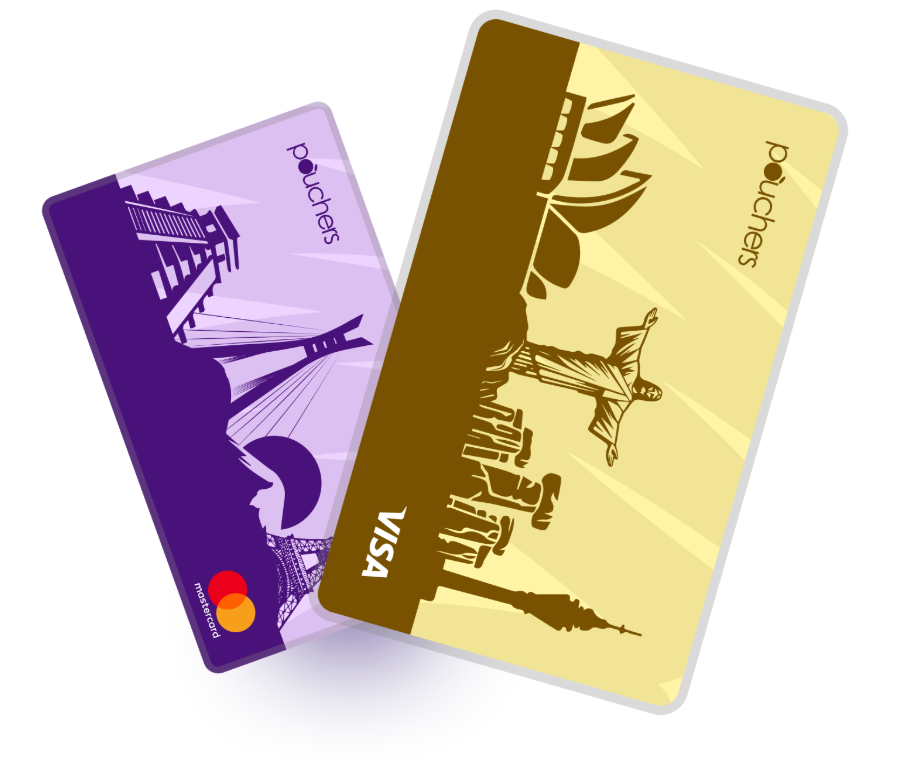
- Download Pouchers: Get the Pouchers app from the Google Play Store or App Store.
- Create an account: Register with your details and complete the required verification.
- Open Virtual Cards: Log in, navigate to the Cards section, and select the Standard Virtual Dollar Card.
- Create your card: Follow the prompts to choose your card colour and enter your residential address. The Standard Card has a one-time $2 creation fee and no monthly maintenance fee.
- Fund your card: Add Naira to your Pouchers wallet through bank transfer, then select your card, tap Fund Card, enter your preferred dollar amount, and confirm.
- Access your card details: Open your virtual card to view the card number, expiry date, and CVV. You’ll need these details when making a payment on Namecheap.
How to Buy a Domain from Namecheap: Step-by-Step Guide
Step 1: Choose Your Domain Name
Before visiting Namecheap, decide on the domain name you want to register. This could be your business name, personal brand, portfolio name, or the name of your blog.
Keep these tips in mind when choosing your domain:
- Choose a name that’s easy to remember, spell, and type.
- Your domain should reflect your brand, business, or website.
- Avoid hyphens, numbers, and complicated spellings where possible.
- Consider popular extensions such as .com, .net, or .org, depending on your website’s purpose.
Step 2: Visit Namecheap and Search for Your Domain
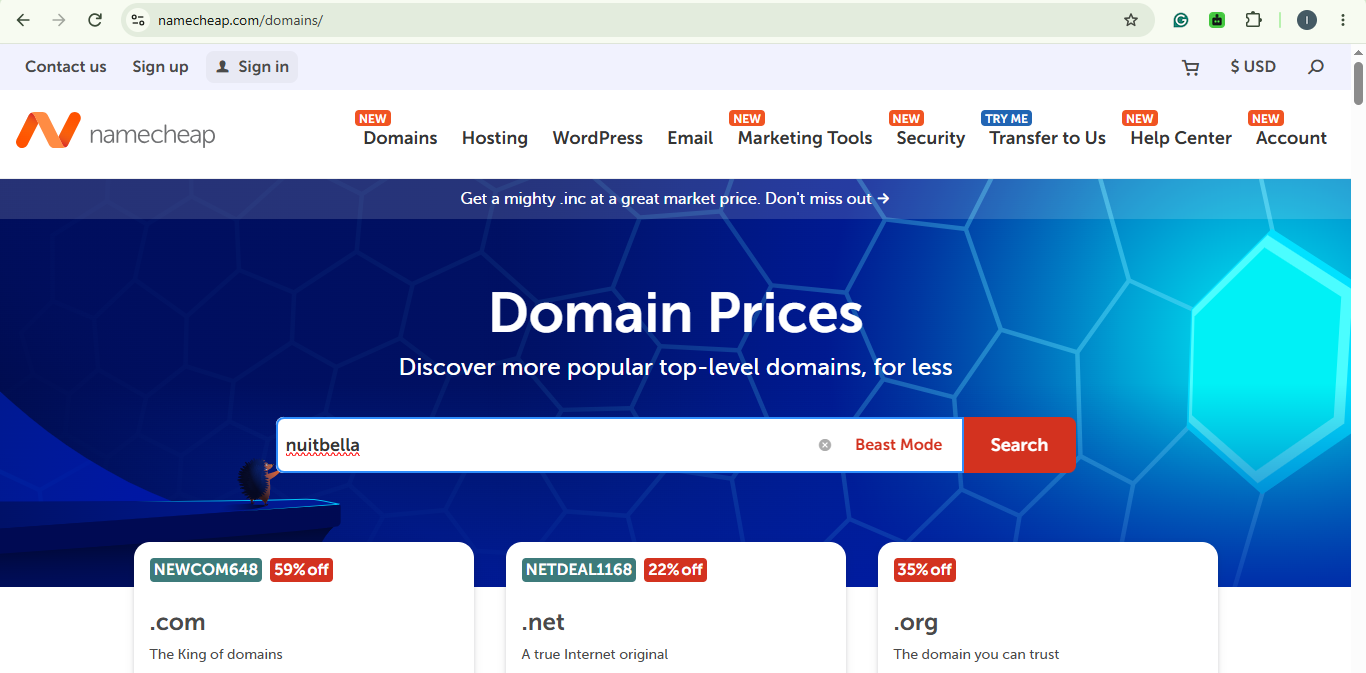
Visit the Namecheap website and locate the domain search bar on the homepage.
Enter your preferred domain name without adding https:// or www. For example, if you want to register mybrand.com, enter mybrand into the search bar and click Search.
Namecheap will check whether the domain is available and display the search results. If someone else has already registered your preferred name, the platform will suggest alternative domain extensions and similar names you can consider.
Step 3: Select Your Preferred Domain and Add It to Your Cart
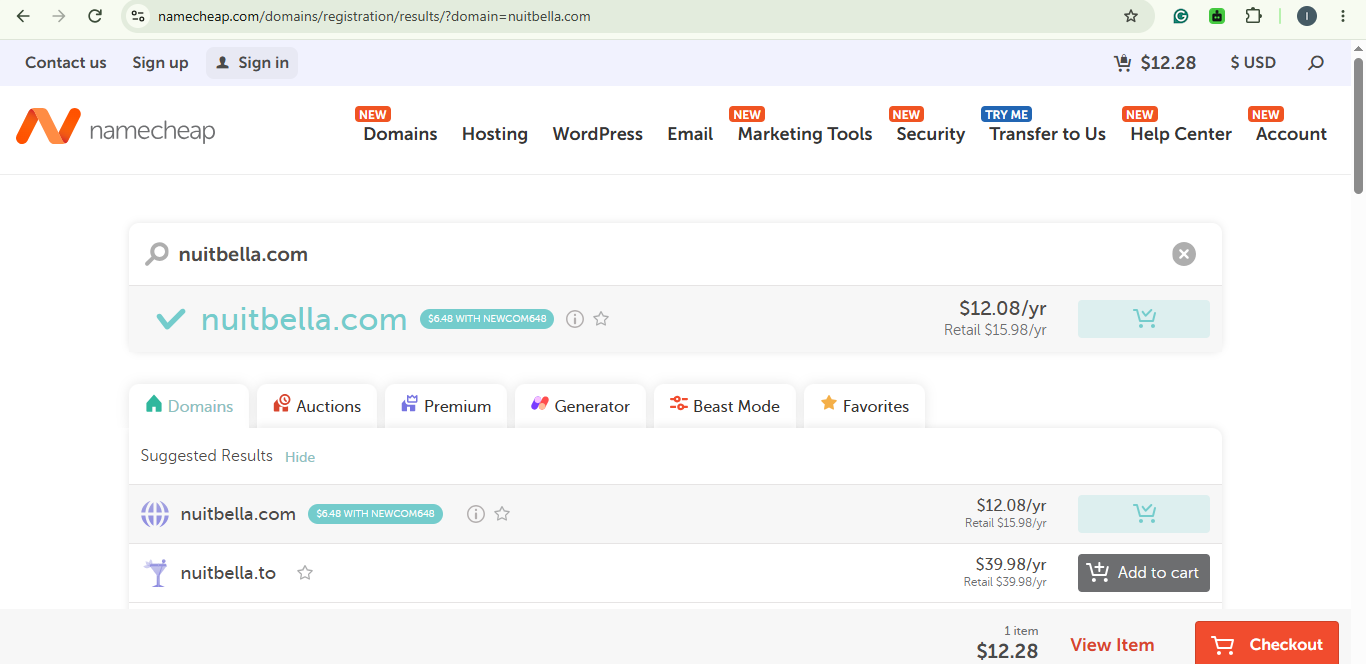
Once Namecheap displays the search results, review the available domain extensions and their prices.
If your preferred domain is available, click Add to Cart beside it. You can also compare the prices of other extensions if you want to explore alternatives.
After adding your domain, click the shopping cart icon to review your selection.
Step 4: Create a Namecheap Account or Sign In
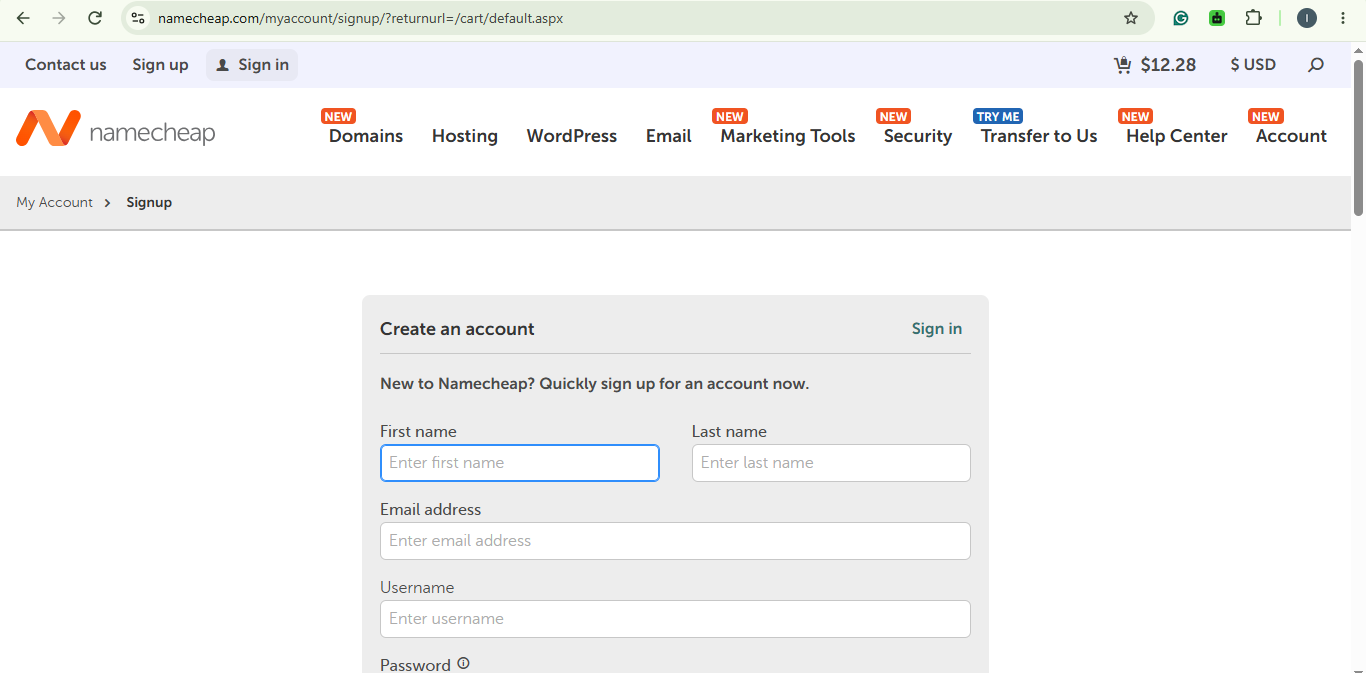
After reviewing your shopping cart, proceed to checkout. Namecheap will prompt you to sign in or create an account if you don’t already have one.
If you’re a new user, select the account creation option and provide the required information. If you already have a Namecheap account, enter your login details to continue.
Step 5: Enter Your Domain Registration Details
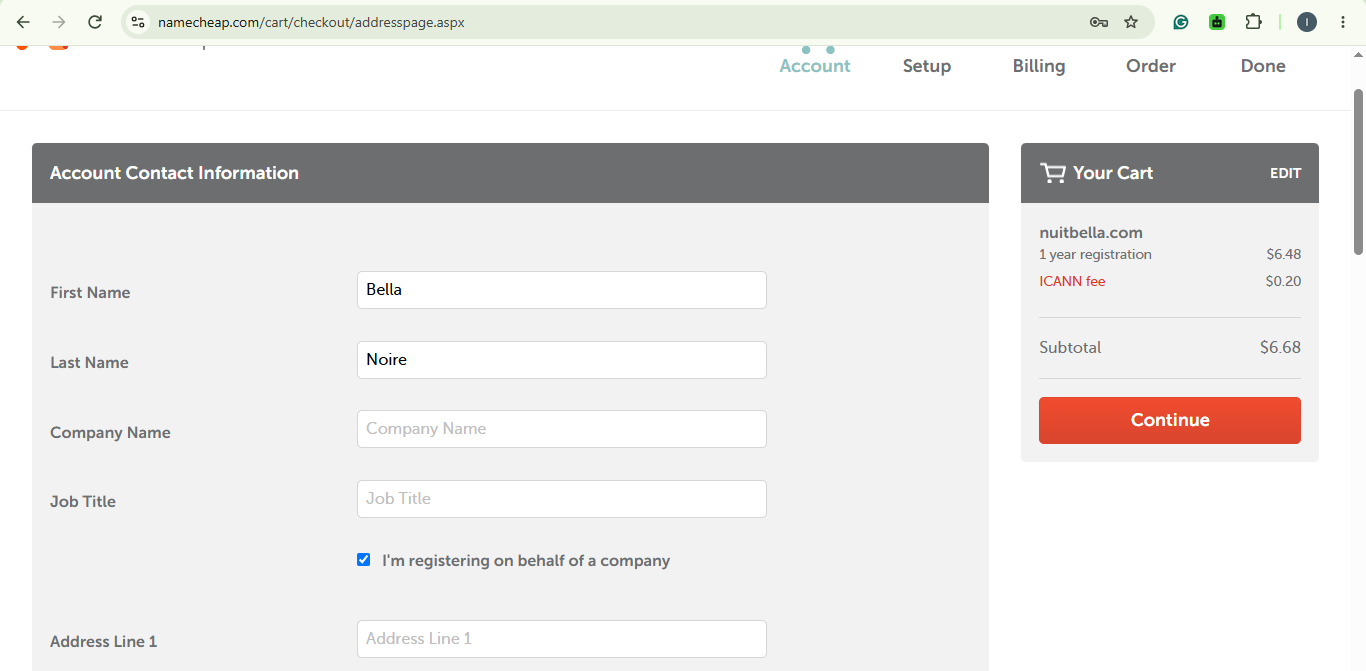
Next, Namecheap will ask you to provide your domain registration contact information.
Make sure your information is accurate, particularly your email address, because Namecheap will use it to send important account and domain registration notifications.
Step 6: Select Card Payment and Enter Your Pouchers Card Details
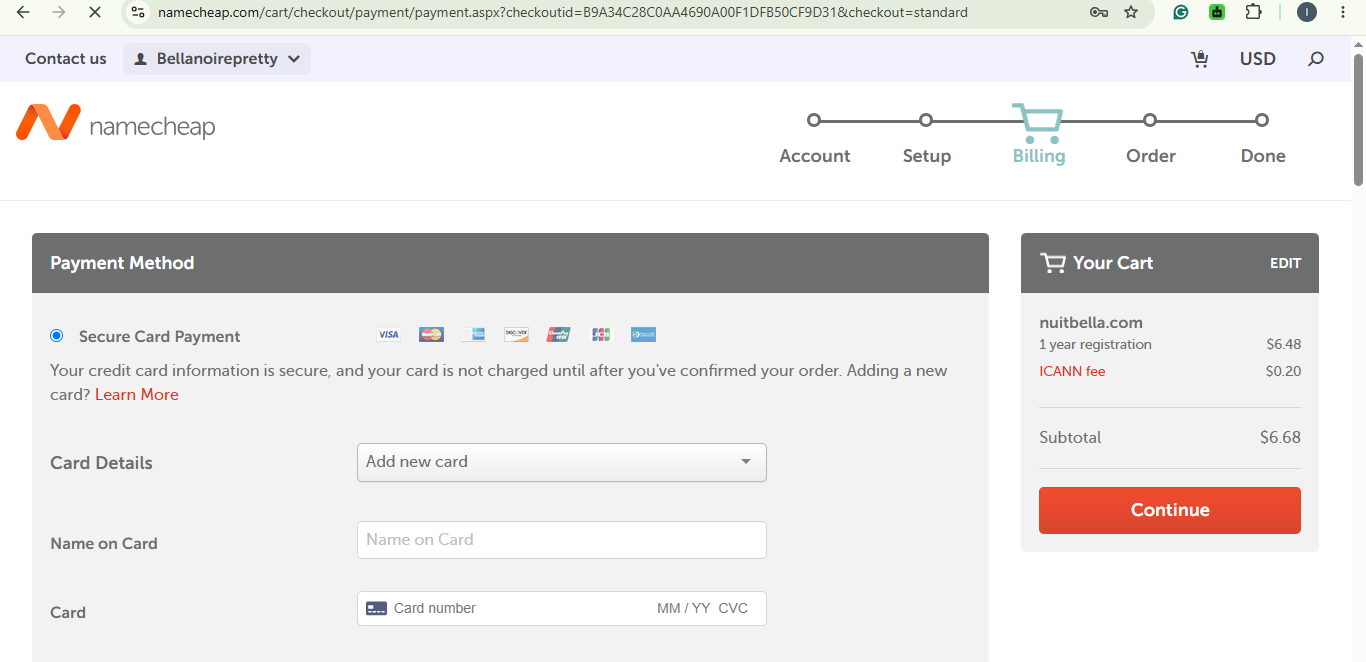
This is where your Pouchers virtual dollar card comes in.
On the checkout page, select the credit or debit card payment option. Enter your Pouchers your virtual dollar card number, expiry date, and CVV.
Step 7: Confirm Your Purchase and Verify Your Email
Before completing your purchase, review your order summary to confirm that you’ve selected the correct domain and that the total amount is accurate.
Click Pay Now or the applicable payment confirmation button to submit your transaction.
Once Namecheap successfully processes your payment, you’ll receive an order confirmation. Check your email for the confirmation message.
Congratulations! You’ve successfully purchased your domain on Namecheap using your Pouchers virtual dollar card.
Buy Domain Names Easily with Pouchers Virtual Card
Buying a domain on Namecheap doesn’t have to be complicated. With Pouchers, you can easily do it by creating a virtual dollar card in about a minute, fund it with Naira, and use it to pay for your preferred domain on Namecheap.
You don’t have to keep struggling with payment declines or waste time trying different bank cards. Get your Pouchers virtual dollar card, follow the steps in this guide, and secure your preferred domain name without unnecessary payment stress.
Frequently Asked Questions
1. Can I buy a domain from Namecheap in Nigeria?
Yes, you can buy a domain from Namecheap in Nigeria. Nigerians can register domains directly on Namecheap by creating an account and completing payment with an accepted payment method.
2. Does Namecheap accept Nigerian debit cards?
Yes, Namecheap accepts Visa and Mastercard, but some Nigerian bank cards may decline international transactions due to bank restrictions.
3. Can I use a virtual dollar card to pay for Namecheap?
Yes, you can use a virtual dollar card to pay for Namecheap. You can use the Pouchers virtual dollar card to pay for Namecheap and other international subscriptions.
4. Can I buy a domain on Namecheap without hosting?
Yes. Domain registration and web hosting are separate services. You can purchase a domain without buying a hosting package.
5. How long does Namecheap domain registration take?
Registration is usually processed shortly after successful payment. Your domain should appear in your Namecheap account once the order is confirmed.
Download the Pouchers app to get your virtual dollar card.
Sources:
Domain Prices: NameCheap
Getting started: Namecheap
What payment methods do you accept for domain registrations?: Namecheap