








Gone are the days when getting a dollar card in Nigeria meant visiting a bank, opening a domiciliary account, and applying for a dollar card before you could start spending online. However, Pouchers gives you an easier route; you can create a virtual dollar card directly through the platform without leaving the comfort of your home.
In this guide, we discuss how to get a virtual dollar card in Nigeria with Pouchers, ways to fund it, and what you should know before creating one.
How to Get Your Virtual Dollar Card With Pouchers
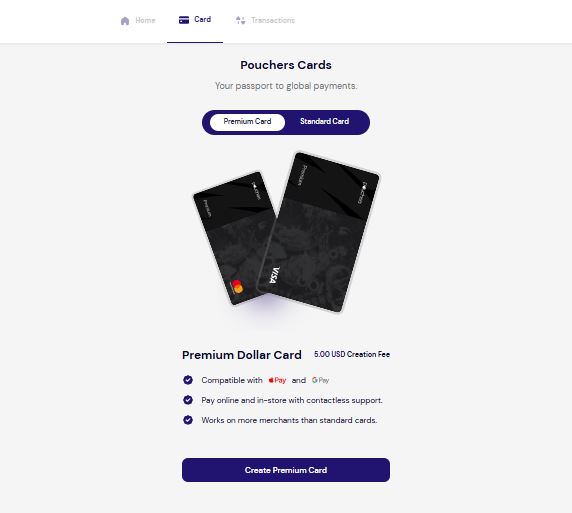
Pouchers is a digital payment platform that lets you create a virtual dollar card in minutes without paying a monthly maintenance fee. The Pouchers virtual dollar card has Standard and Premium options, with either Visa or Mastercard option available. The Premium card is compatible with Apple Pay and Google Pay, allowing you to make contactless payments online and in-store. This gives you more ways to pay for the services you use, including Spotify Premium and Prime Video.
Here’s how to get a virtual dollar card in Nigeria on Pouchers:
Step 1: Download the Pouchers app from the Google Play Store or App Store. Register with your details to create an account, or log in if you already have one.
Step 2: Fund your card through your Fiat wallet with currencies such as Naira or USD, or through your Stablecoin wallet if you prefer to use crypto.
Step 3: Tap Virtual Cards from the Pouchers homepage. You’ll see the available card options and can choose between the Standard and Premium Dollar Card based on your needs.
Step 4: Choose your card network. Select Visa or Mastercard, depending on where you plan to spend the card.
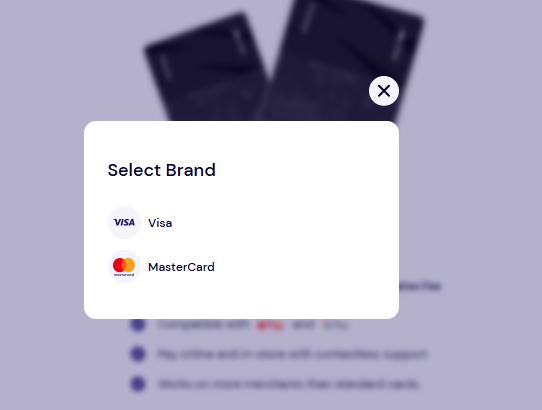
Step 5: Enter your address details and continue with the card creation process.
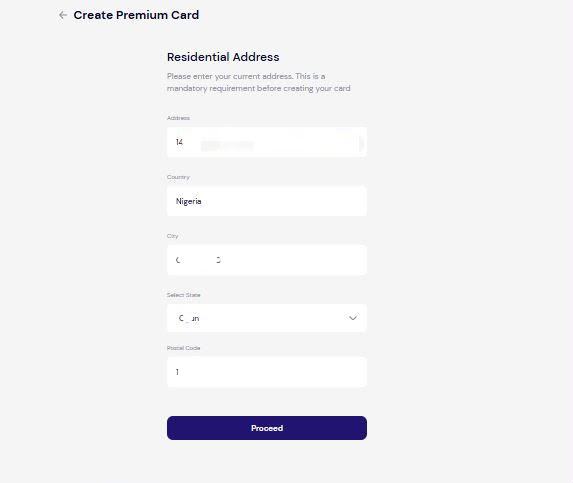
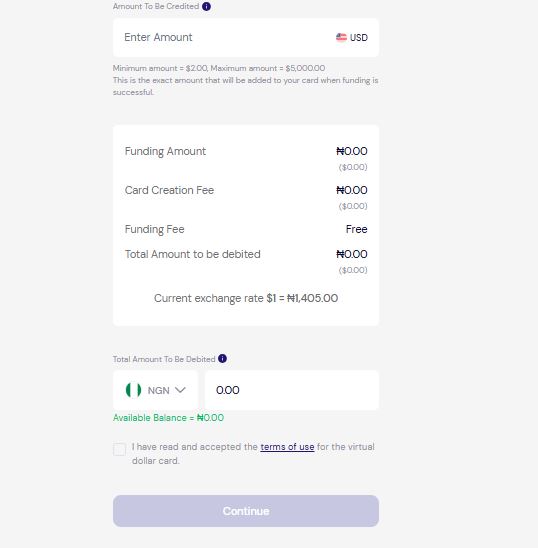
Step 6: Fund the virtual card with naira. Enter the amount you want, review and accept the terms, then tap Continue to create your virtual dollar card. Your card is ready to use for eligible payments, with details like the card number, CVV, and expiry date available.
Standard vs. Premium: Which Virtual Dollar Card Should You Get?
Pouchers offers two virtual dollar card tiers. Here’s how they compare:
| Feature | Standard Card | Premium Card |
| Creation fee | $2 (one-time) | $5 (one-time) |
| Monthly maintenance | None | None |
| Online payments | Yes | Yes |
| In-store payments | Not available | Yes (contactless) |
| Apple Pay & Google Pay | Not available | Yes |
| Merchant coverage | Standard | Broader |
| Card networks | Visa or Mastercard | Visa or Mastercard |
The Standard card covers most everyday online needs, including subscriptions, streaming platforms, SaaS (software-as-a-service) tools, and e-commerce. If you spend online and don’t need to tap your phone to pay at physical terminals, the Standard card is enough.
The Premium card makes more sense if you travel internationally, want Apple Pay or Google Pay integration for faster checkout, or regularly run into merchant declines with other cards. It also gives you wider merchant coverage over the Standard tier.
How to Fund Your Pouchers Virtual Dollar Card
Before you can create a virtual dollar card on Pouchers, you need funds in your wallet. You can add funds through your Fiat wallet, using currencies such as Naira, USD, EUR, or GBP, or through your Stablecoin wallet if you prefer to fund your card with crypto.
Funding With Fiat
Fund your virtual card with Naira by sending funds directly to your Naira wallet or converting it to another supported fiat currency.
Here’s how:
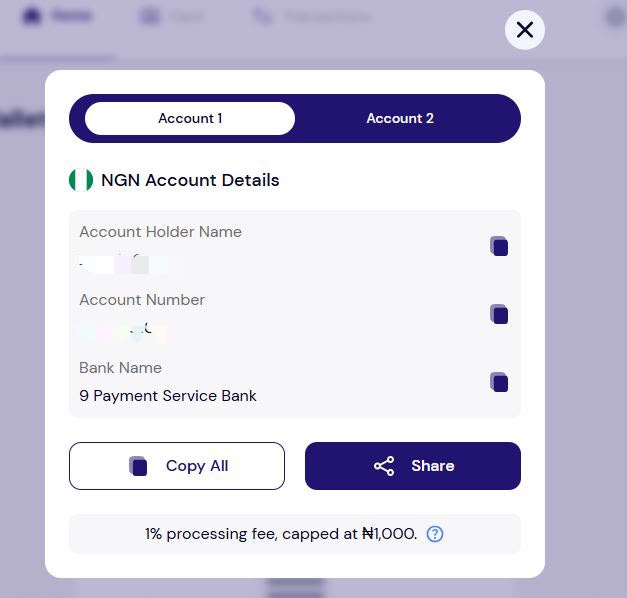
Step 1: Tap View Wallet to open your wallet in the Pouchers app.
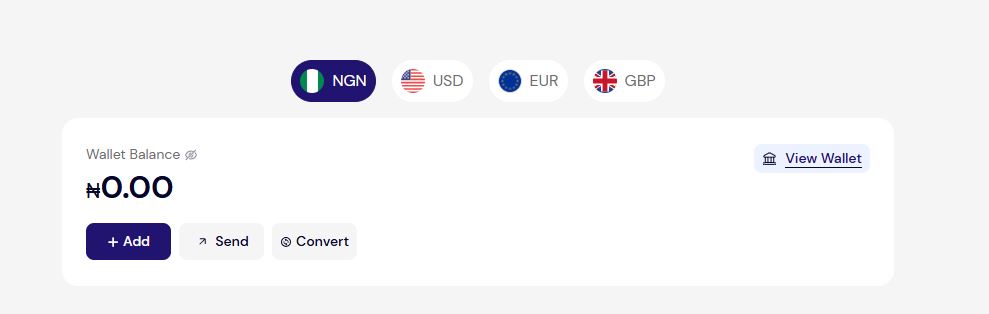
Step 2: Tap Receive to view your account details
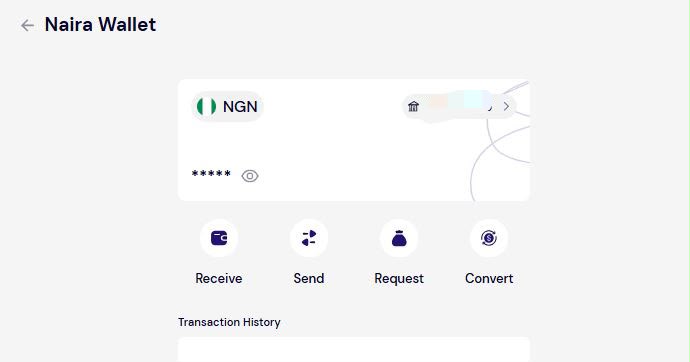
Step 3: Copy the relevant account details and use them to transfer money into your Pouchers wallet.
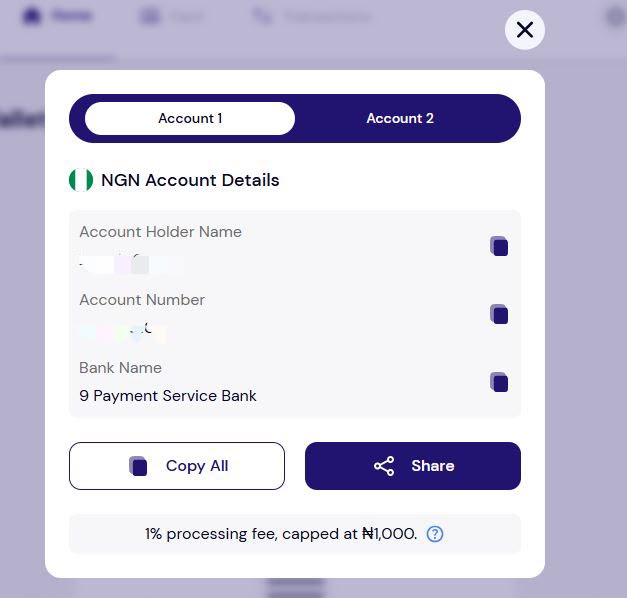
Step 4: Once the funds arrive, you can add money to your virtual dollar card. You can also convert Naira to USD, EUR, or GBP. Simply tap Convert inside your Naira wallet and use the balance for your card.
Funding With Stablecoin
The second way to fund your Pouchers wallet is through stablecoins such as USDT or USDC. This is useful if you already hold the tokens on an external wallet or exchange.
Step 1: Go to your USD wallet and tap Generate Wallet. Select the stablecoin you want to receive, such as USDC or USDT.
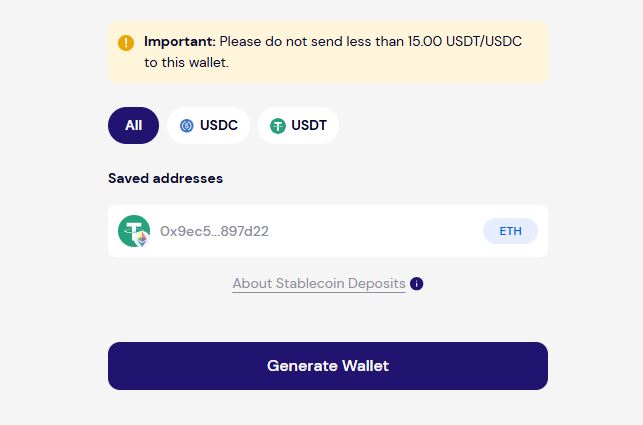
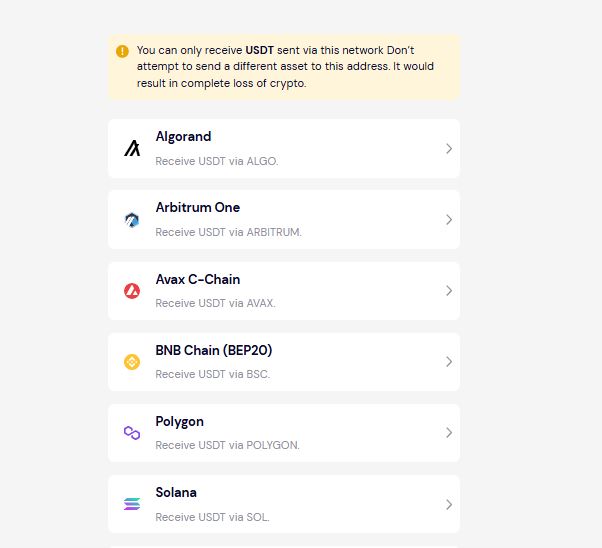
Step 2: Choose your network. Depending on the stablecoin, Pouchers provides several network options, including networks such as Algorand, Solana, and Polygon.
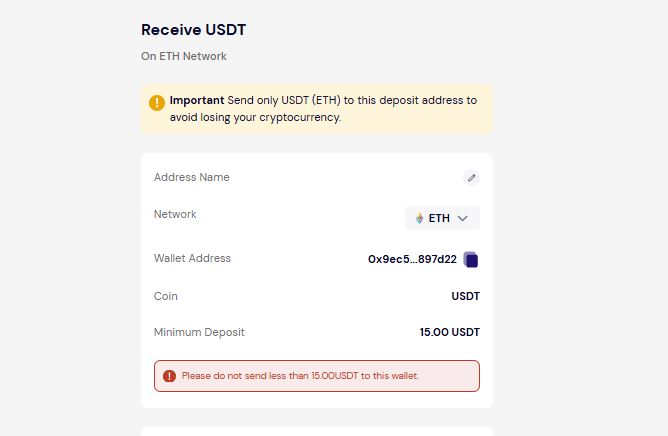
Step 3: Agree to the terms and tap Generate Wallet. You can name the address or skip it. Make sure you send the correct stablecoin on the selected network, and do not send less than 15 USDT.
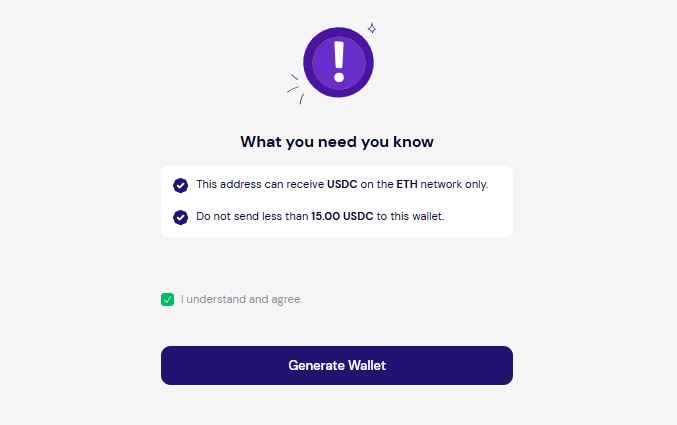
Step 4: Copy the generated address and paste it into the send field on your external wallet or exchange. Enter the amount you want to transfer and complete the transaction. Once the stablecoins arrive in your Pouchers wallet, you can use the balance to top up your virtual dollar card.
Download the Pouchers app to get started.
What to Know Before Creating Your Card
Before creating a Pouchers Visa or Mastercard virtual card, it is essential to know the fees, limits, and features that come with it.
| Category | What to Know |
| Card creation | $2 one-time fee for the Standard Card or $5 for the Premium Card |
| Monthly maintenance | No monthly maintenance fee |
| Funding | Free funding through your Pouchers wallet or supported stablecoins |
| FX fee | 2.5% + $0.50 on eligible cross-border transactions |
| Daily transaction limit | Up to $20,000 per day |
| Card networks | Choose between Visa and Mastercard |
| Apple Pay & Google Pay | Available with the Premium Card |
| Contactless payments | Premium Card supports online and in-store contactless payments |
| Failed payments | A failed subscription payment due to insufficient funds does not automatically terminate your card |
| Deleting your card | Any remaining balance is refunded when you delete the card |
Where Pouchers Works
Pouchers supports payments across subscriptions, shopping, software, advertising, travel, entertainment platforms, and other international services.
Below are some examples:
| Category | Platforms |
| Subscriptions & streaming | Netflix, Spotify, Apple Music, Prime Video, YouTube |
| AI & software | ChatGPT, Microsoft 365, Adobe, Canva, Notion |
| Advertising | TikTok, Google Ads, Meta Ads payment |
| Online shopping | Amazon, Shein, ASOS, AliExpress |
| Travel | Flights, hotels, Airbnb, car rentals |
Frequently Asked Questions
1. Can I get a virtual dollar card in Nigeria for free?
Pouchers charges a one-time creation fee of $2 for the Standard Card and $5 for the Premium Card. There’s no monthly maintenance fee, unlike some other fintech dollar cards which charge recurring fees that can add up over time.
2. Which virtual dollar card works best in Nigeria?
Pouchers offers the best virtual dollar card with Visa or Mastercard options. The Standard Card is designed for a wide range of online payments, while the Premium Card supports Apple Pay, Google Pay, and contactless in-store payments.
3. Do I need a domiciliary account to get a virtual dollar card?
No. You don’t need a domiciliary account to create a Pouchers virtual dollar card. You can fund your account with Naira and convert it to USD within the app, or use supported stablecoins.
Conclusion
Getting a virtual dollar card in Nigeria doesn’t require opening a domiciliary account or going through a lengthy bank process. With Pouchers, you can create one in minutes, fund it with fiat or stablecoins, and start making international payments right away.
The Standard Card covers everyday online spending, while the Premium Card adds Apple Pay, Google Pay, and contactless in-store payments. With no monthly maintenance fee and a choice between Visa and Mastercard, Pouchers gives you a cost-effective way to make international payments.
Download the Pouchers app to start using a virtual dollar card.