








You have landed the Upwork client, completed the job, and earned the money. But getting those earnings out of Upwork can be frustrating, particularly for Nigerian freelancers. A withdrawal can come with unexpected fees, delays, or a payment method that simply doesn’t work the way you expected. Also, when you’re earning in dollars, you may want to keep your earnings in USD.
So, how do you withdraw money from Upwork in Nigeria without unnecessary complications? This guide breaks down the available Upwork withdrawal methods, their costs, and what to consider before choosing where to receive your Upwork earnings.
How Much Does It Cost to Withdraw Money From Upwork in Nigeria?
Upwork charges different fees based on your preferred withdrawal method. If you want to withdraw to your USD account, Upwork charges you $2.99 per withdrawal if you have an international tax address. But the withdrawal is free if you have a U.S. tax address.
Also, if you want to withdraw your Upwork earnings directly to your Nigerian bank account, Upwork will charge you $0.99 per transfer. However, some banks may charge additional incoming-payment fees, so the $0.99 Upwork fee may not be the total cost of receiving the money.
Furthermore, withdrawing your money via wire transfer will cost you $50 per Upwork withdrawal. You may be charged for currency conversion.
What Are the Ways to Withdraw Money From Upwork in Nigeria?
| Withdrawal method | What happens | Currency received | Best suited for |
| Pouchers USD account | Receive USD into your virtual USD account. | USD | Freelancers who want USD access |
| Direct to Local Bank | Upwork sends money to a Nigerian bank. | NGN | Freelancers who want naira directly |
| Direct to U.S. Bank | Upwork sends USD to eligible U.S. account details | USD | Freelancers who want to receive USD |
| Payoneer | Upwork sends earnings to Payoneer | USD/other supported currencies | Freelancers already using Payoneer |
| Wire Transfer | International bank transfer | Depends on account | Larger international transfers |
1. Pouchers USD Account

A Pouchers USD account provides a straightforward way to receive and manage your Upwork earnings in dollars. You don’t need much documentation or referees to create a Pouchers USD account. It is easy and free to open a USD account. Once your account is ready, you can use it to receive USD through payment methods such as ACH, wire, and FedNow.
Once you have money in your account, you can spend it internationally with a Pouchers virtual dollar card. Pouchers uses KYC verification, bank-level encryption, and real-time transaction monitoring to help protect your account, personal information, and funds. You can also add extra protection with two-factor authentication and biometric login using your fingerprint or face recognition.
2. Payoneer
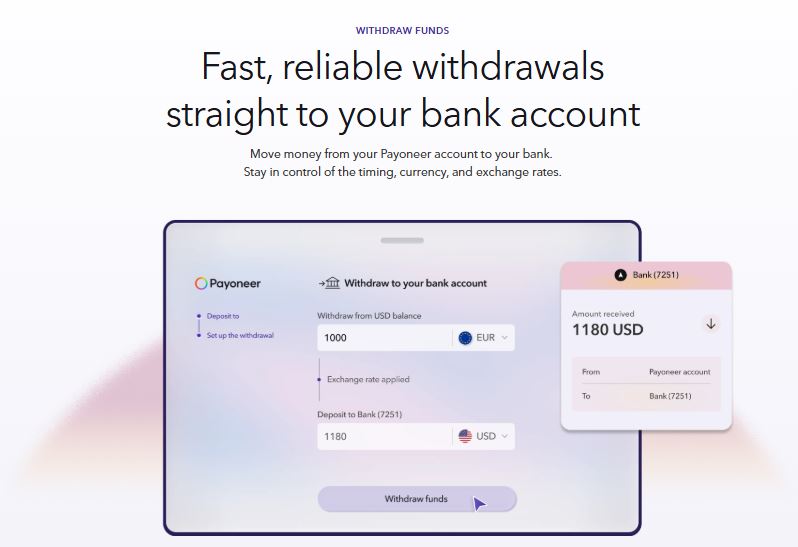
Payoneer is another payment service that you can use to receive your earnings. After connecting your Payoneer account to Upwork, your available earnings can be transferred to Payoneer. Its minimum withdrawal amount is $20. If you want to withdraw from Payoneer to your Nigerian bank account, Payoneer will charge you 2%.
3. Wire Transfer
Upwork also enables you to withdraw your Upwork earnings through wire transfer. This method sends your earnings through the banking system to a bank account. A wire transfer allows you to send your Upwork earnings directly to an eligible bank account using international banking rails.
You typically need to provide the required bank details, such as the account holder’s name, account number, bank name, SWIFT/BIC code, and other information requested by Upwork.
This option is designed for freelancers who want to receive their earnings through a bank account that can accept international USD wire transfers.
4. Direct to Local Bank
This method involves Upwork sending your earnings directly to your Nigerian bank account. This can be a convenient option if you want to receive your earnings in naira without using a separate payment platform.
Before withdrawing, make sure the name on your bank account matches the name on your Upwork account and that your bank details are entered correctly. Once the transfer is processed, your bank will receive the funds.
Is It Cheaper to Send Upwork Money to a Nigerian Bank or to a USD Account?
It depends on the withdrawal method, the fees charged by the receiving provider, and whether your Upwork earnings are converted from USD to naira.
With Direct to Local Bank, Upwork currently charges $0.99 per transfer for withdrawals to banks outside the U.S. However, the money may be converted from USD to naira before it reaches your Nigerian bank account, and some banks may charge a landing fee.
When you use a USD account, you can receive your earnings in dollars instead of converting them to naira immediately. However, the total cost depends on the specific USD account, the transfer method Upwork uses, and any receiving or subsequent transfer fees.
Therefore, don’t compare the methods based on the Upwork withdrawal fee alone. Consider the total cost, including:
- Upwork’s withdrawal fee
- Receiving fees
- USD-to-NGN exchange rate
- Currency-conversion fees
For example, a $0.99 local-bank withdrawal may appear cheaper upfront, but if you’re regularly earning in USD and want to retain your earnings in dollars, a USD account may provide a different set of benefits.
How to Withdraw Money from Upwork with Pouchers
Step 1: Create a Pouchers Account
Download the Pouchers app from your app store, create a new account, and complete your identity verification.
Step 2: Get Your USD Account Details
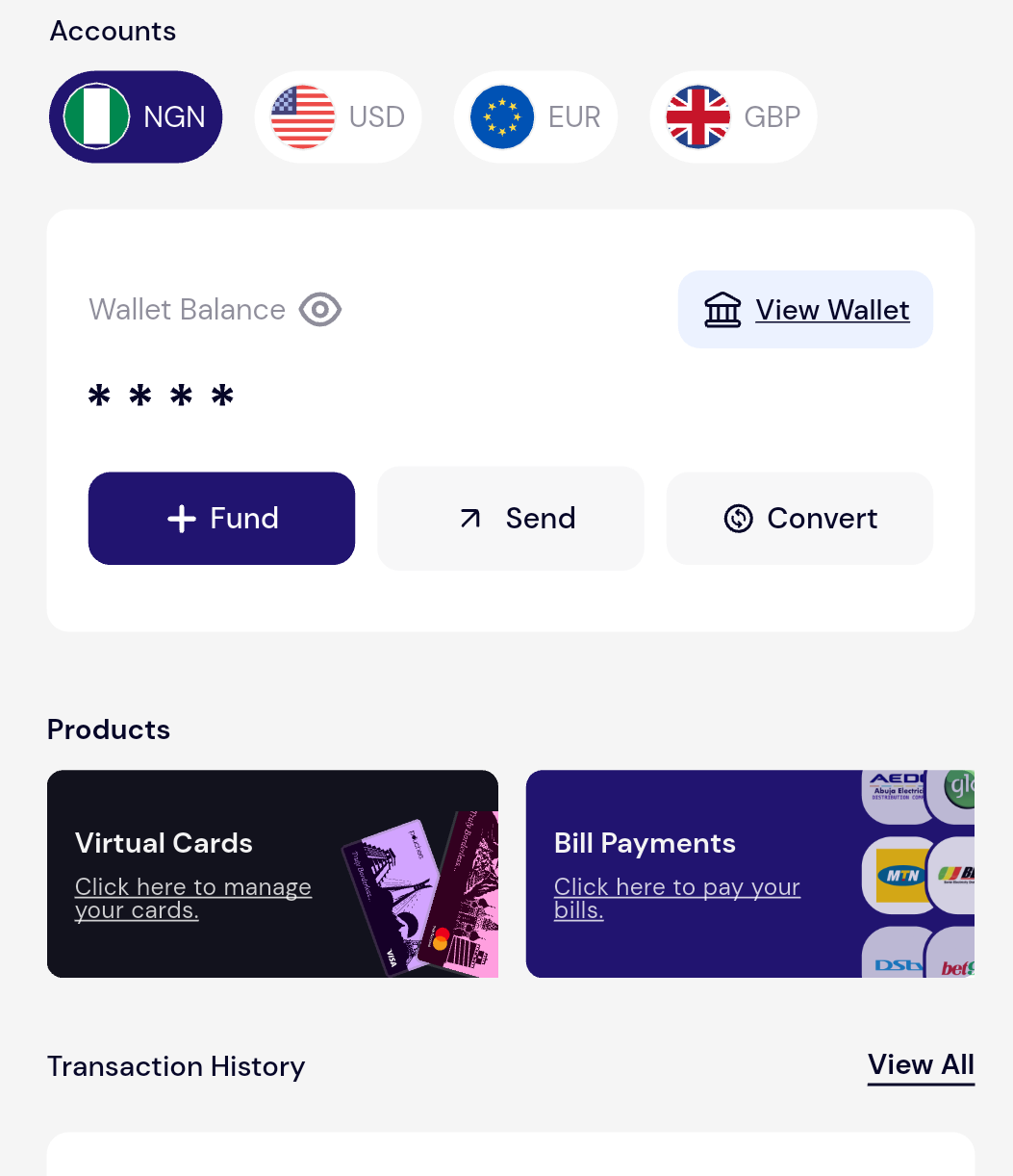
Once your account is set up, access your Pouchers USD account to view the bank details you can use to receive USD payments.
- Tap the USD Account option on your dashboard.
- Tap Activate Wallet under your account balance (choose whether you want a fiat or stablecoin USD account).
- Select “Activate USD Account” and tap Activate Account.
- Read and accept the Terms of Use.
Step 3: Verify Your Identity (KYC)
Before you can create your USD account successfully, you need to complete another level of KYC;
- Enter your personal details matching your ID exactly.
- Choose an identification document (International Passport recommended, NIN, or Driver’s Licence).
- Upload a clear photo of your ID and submit it for approval.
Step 4: Get Your Virtual USD Account
- Wait for verification approval
- Your real US checking account number will be issued instantly once approved.
Step 5: Go to Your Upwork Payment Settings
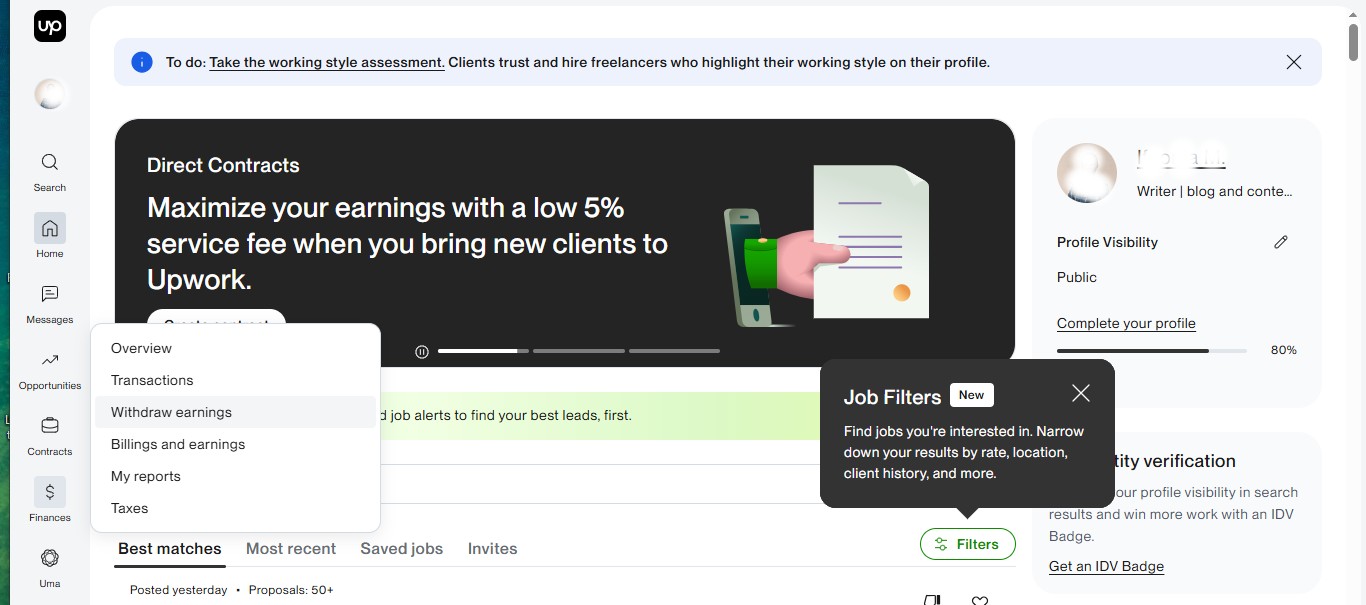
Log in to Upwork. Click “Finance” and select “Withdraw earnings”.
Step 6: Choose a Withdrawal Method
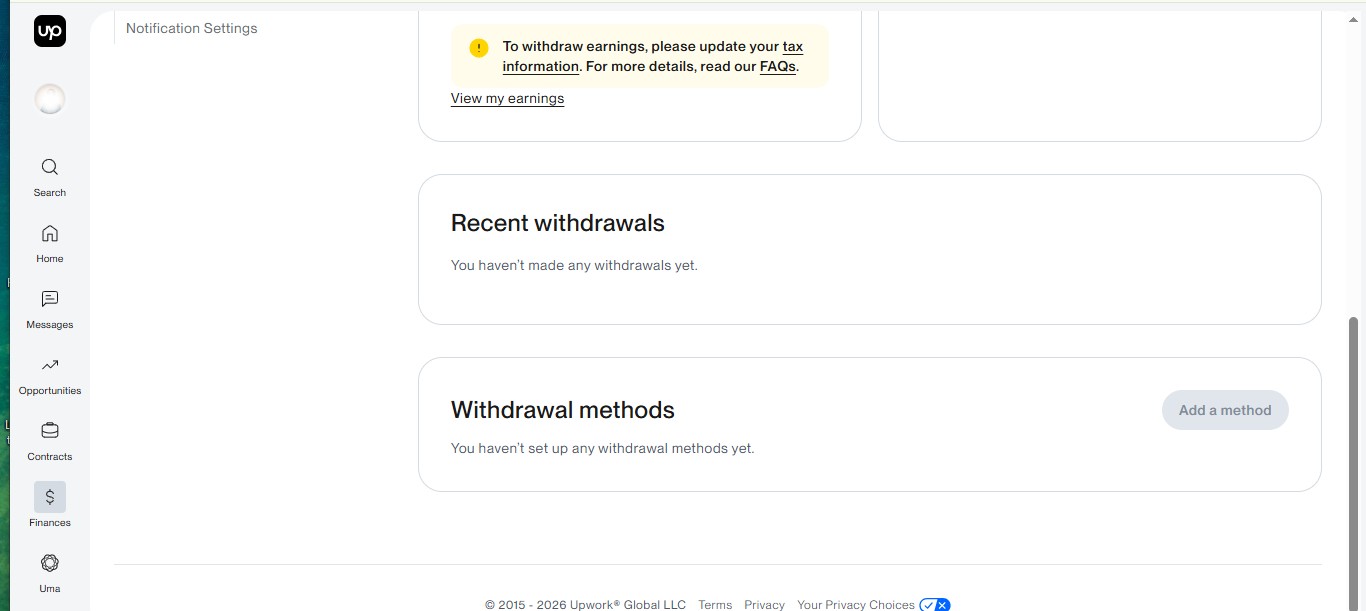
Select Get Paid or the option to manage your withdrawal methods, depending on the current Upwork interface.
Step 7: Add Your Pouchers USD Account
Choose the appropriate USD withdrawal option on Upwork and enter the bank details provided by Pouchers.
Make sure the account holder information matches the verified information on your Upwork account. Incorrect or mismatched details can cause a withdrawal to fail or be delayed.
Step 8: Complete Upwork’s Verification Process
Upwork may require you to verify the new withdrawal method before you can use it. Follow any verification instructions provided by Upwork and wait until the payment method becomes active.
Step 9: Withdraw Your Upwork Earnings
Once your Pouchers account is active as a withdrawal method and your Upwork earnings are available, select the withdrawal option and enter the amount you want to receive.
Upwork will process the withdrawal and send the funds to your designated account.
Step 10: Manage Your USD Earnings With Pouchers
After the funds arrive in your Pouchers USD account, you can keep them in USD or use the available Pouchers features to manage your money.
Depending on your needs, you can convert currencies, make international payments, or spend.
What Can You Do With Your Upwork Money After Receiving It in Pouchers?
1. Keep Your Earnings in USD
You don’t have to convert your entire Upwork income to naira as soon as you receive it. You can keep your funds in your Pouchers USD account and decide when you want to convert them.
2. Pay for International Services
Your Upwork earnings can also be used for eligible international expenses. For example, you can use your Pouchers virtual dollar card to pay for online subscriptions, software, digital services, and other international purchases that accept your card.
This can be particularly useful if you need tools and services to run your business without first moving their money to a separate payment platform.
3. Receive Other International Payments
Your Pouchers USD account isn’t limited to your Upwork earnings. You can also use its supported USD receiving capabilities to receive eligible payments through international payment rails such as ACH, wire, and FedNow.
This means you can potentially use the same account to manage income from different international clients or platforms, subject to the applicable receiving requirements.
4. Transfer Money To Your Loved Ones
If you need to send part of your Upwork earnings to your loved ones, you can transfer funds from your Pouchers account to a supported USD account in their name. This can also be useful when you want to share your international earnings without first converting the money to naira.
How Long Will It Take to Receive Your Upwork Earnings?
The time it takes to receive your Upwork earnings depends largely on the withdrawal method you choose. For example, withdrawing your Upwork earnings to a U.S. bank account can take up to two business days, while a U.S. dollar wire transfer can take up to eight business days.
Payoneer withdrawals are generally processed within 24 hours after Upwork releases the payment, although the final arrival time can vary. If you receive your earnings through a payment rail supported by your Pouchers USD account, the delivery time will depend on whether the payment is sent by ACH, wire, or another supported method.
Intermediary and receiving banks can also add to the processing time.
Why Is My Upwork Withdrawal Not Working?
1. Your Withdrawal Method Hasn’t Been Activated
If you recently added a new withdrawal method, you may need to wait for at least three days before you can use it. Upwork places a security hold on newly added payment methods before they become active.
2. Your Account Details Don’t Match
The name on your withdrawal account should match the verified name on your Upwork account. Differences in names or incorrect beneficiary information can cause a withdrawal to be rejected or delayed.
Check your bank or USD account details carefully, including the account number and routing information
3. Your Earnings Aren’t Available Yet
Having funds in your Upwork account doesn’t necessarily mean it is ready for withdrawal. Upwork keeps your earnings in review during the client’s review window and in pending during the five-day security hold before they become available for withdrawal.
4. Your Tax Information Isn’t Complete
Upwork may require you to complete certain tax information, such as VAT ID, before you can withdraw your earnings. If your account has an outstanding tax or verification requirement, it is essential to complete it before attempting another withdrawal.
5. Your Bank or Payment Provider Rejected the Transfer
Your bank or payment provider may reject the transfer because of incorrect account details, account restrictions, unsupported payment information, or other compliance requirements.
If Upwork shows that the withdrawal was sent but you haven’t received it, contact the receiving bank or payment provider to find out whether the payment was rejected or is still being processed.
6. You’ve Reached a Withdrawal Limit
Upwork withdrawal methods have minimum or maximum transaction limits. For instance, in Nigeria, Upwork’s maximum limit is $3,000, while the minimum amount you can withdraw is $5.
Choose the Right Way to Withdraw Your Upwork Earnings
Withdrawing your Upwork earnings in Nigeria comes down to choosing a payment method that fits how you want to receive and use your money. You can withdraw directly to a local bank, use Payoneer, choose a wire transfer, or receive your earnings through a USD account.
If you want to receive and keep your Upwork earnings in dollars, Pouchers gives you a practical way to do that. Its virtual USD account supports ACH, wire, and FedNow. It doesn’t have an account maintenance fee. You can fund Pouchers virtual dollar card for international payments.
You can also receive third-party payments and manage your international income from the same account, giving you more flexibility over what you do with your Upwork earnings after you get paid.
Frequently Asked Questions
1. Can I withdraw Upwork money to my bank account?
Yes, you can withdraw your Upwork money to your bank account.
2. Can I withdraw Upwork money in Nigeria?
Yes, you can withdraw Upwork money in Nigeria.
3. Can I withdraw Upwork money in USD in Nigeria?
Yes, you can withdraw Upwork money in USD in Nigeria. To do that, you need a virtual account like Pouchers virtual USD account.
4. Why can’t I withdraw money from Upwork?
You may be unable to withdraw money from Upwork because your earnings aren’t available yet, your withdrawal method hasn’t been activated, your account information doesn’t match, your tax or verification requirements are incomplete, or your payment details are incorrect.
5. What is the minimum amount I can withdraw from Upwork?
The minimum amount you can withdraw from Upwork is $5.
Download the Pouchers app to have a USD bank account to receive your Upwork withdrawals.
Source:
Wire transfer on Upwork – Wire transfer
Withdrawal fees on Payoneer – Withdrawal fees to local bank
Withdrawal fees and limits on Upwork – Upwork withdrawal