








Shopping on Shein for the first time from Nigeria can raise a lot of questions. Does Shein deliver to Nigeria? How do you place an order, what payment methods can you use, and how much will it cost to get your purchases delivered? The process can feel confusing when you are unfamiliar with international online shopping, especially when you don’t know which payment options work for Nigerian shoppers.
Fortunately, ordering from Shein doesn’t have to be complicated. This guide takes you through everything you need to know, from creating an account and choosing your favourite items to paying for your order and tracking its delivery to Nigeria.
Why Order from Shein?
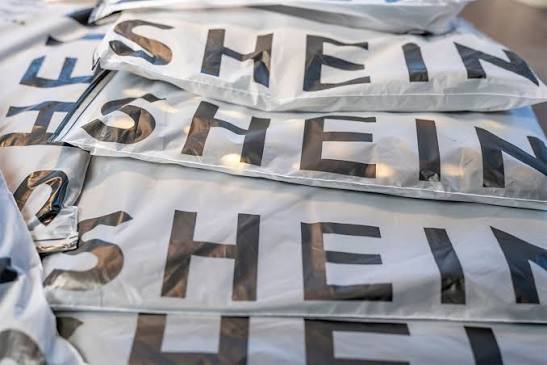
- Affordable fashion: Shein offers clothing, shoes, bags and accessories at different price points. You can browse different styles without spending a fortune on every item.
- Extensive product collection: From casual outfits and office wear to dresses, jewellery and home accessories, you can find different products in one place.
- Access to international fashion trends: Shein regularly features clothing styles inspired by current fashion trends, giving you more options when updating your wardrobe.
- Customer reviews and pictures: You can read reviews and view customer-uploaded pictures before purchasing. This helps you understand how an item looks outside the product photographs.
- Convenient online shopping: You can browse products, place orders and monitor your purchases through the Shein website or mobile application without visiting a physical store.
Step-by-Step Guide to Order from Shein in Nigeria
Ordering from Shein in Nigeria is straightforward once you understand the process. Follow these steps to purchase your favourite items.
Step 1: Visit the Shein website or download the app
Go to Shein Website or Download the Shein application from the Google Play Store or Apple App Store.
Create an account using your email address or an available sign-up option. If you already have an account, log in to continue.
Step 2: Search for your preferred items
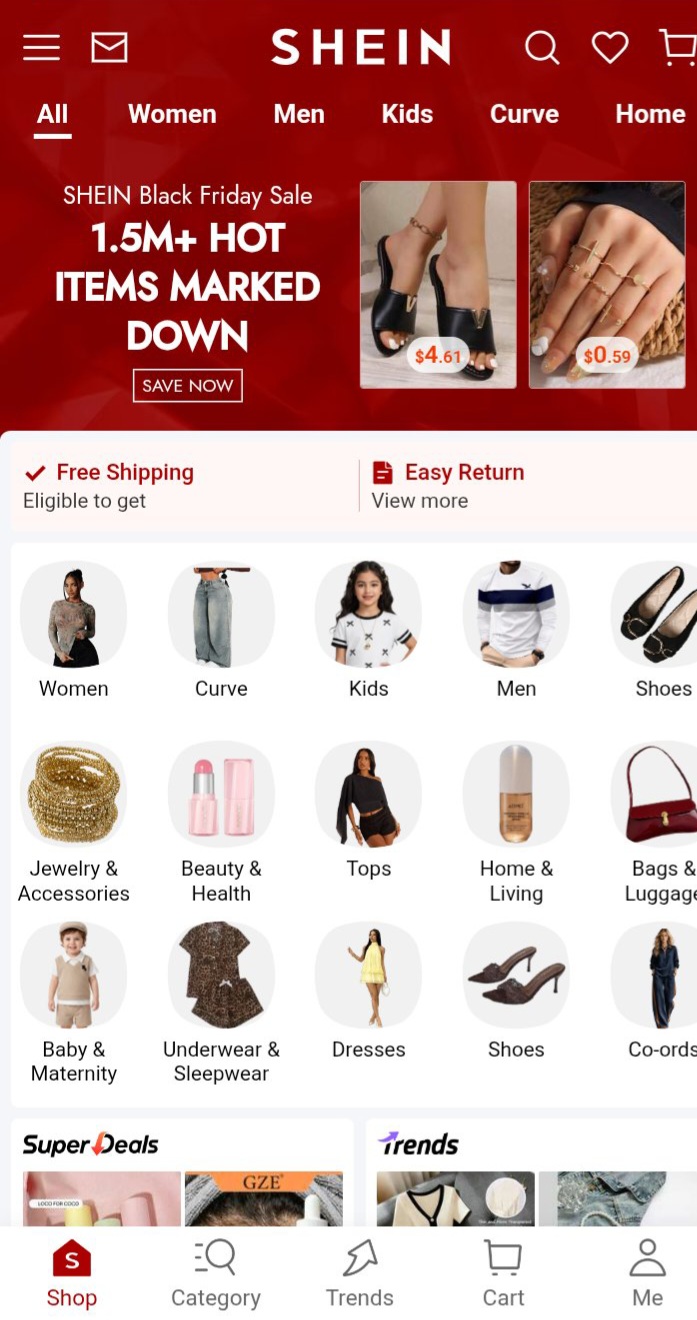
Use the search bar to find specific products or browse categories such as:
- Women’s clothing
- Men’s clothing
- Shoes and bags
- Jewellery and accessories
- Beauty products
- Home and living
When you find something you like, open its product page to view the available colours, sizes, prices and descriptions.
Step 3: Check the size guide and customer reviews
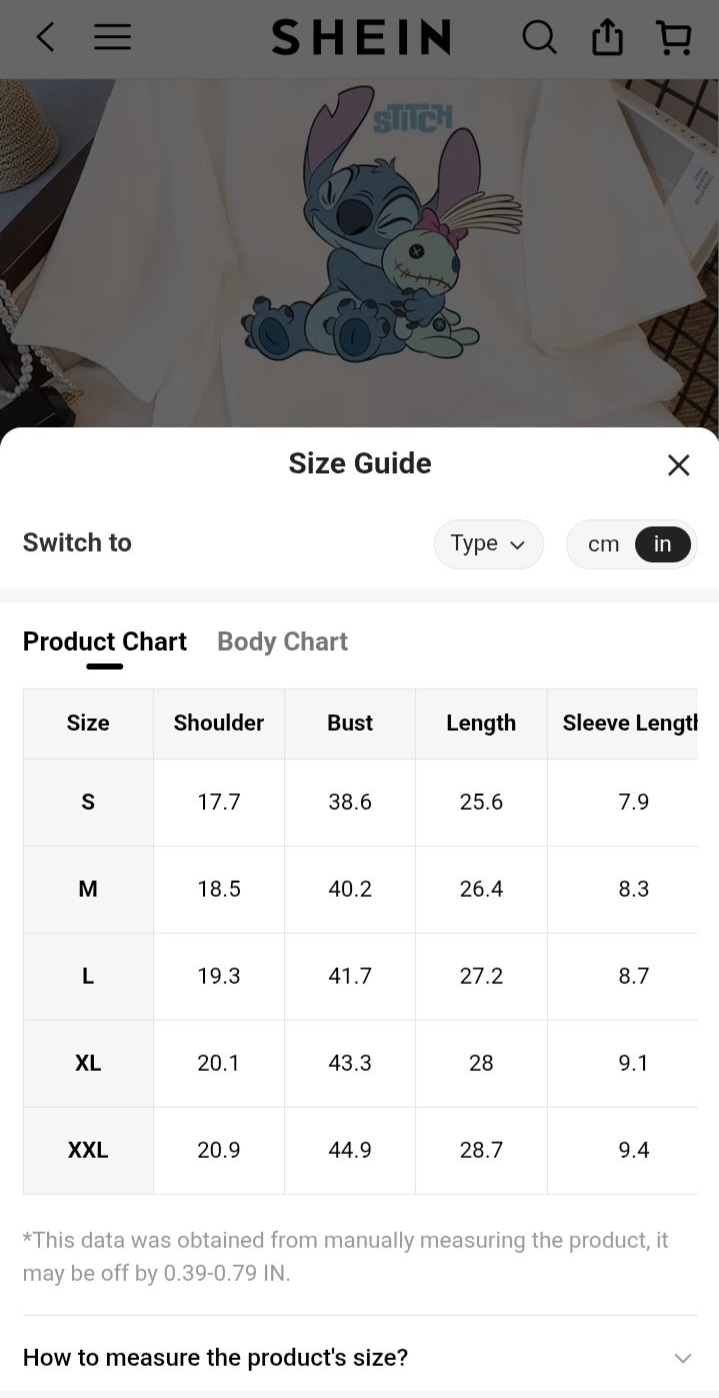
Do not rely on your usual clothing size when ordering from Shein.
Sizing can differ between products, so check the measurements provided on the product page. Pay attention to bust, waist, hip and length measurements where applicable.
Also, read customer reviews and examine uploaded pictures. These can help you assess the material, fit and actual appearance of the product before purchasing.
Step 4: Add your items to the shopping cart
Select your preferred size, colour and quantity, then click Add to Cart.
Repeat this process for every item you want to purchase.
When you finish shopping, open your cart and review your selections. Remove unwanted products and confirm that the sizes, colours and quantities are correct.
Step 5: Enter your preferred delivery address
Proceed to checkout and provide your delivery information.
Enter the following details accurately:
- Full name.
- Nigerian phone number.
- Country: Nigeria.
- State.
- City.
- Street address.
- Postal code, where required.
Double-check your address and phone number before proceeding. Incorrect delivery information can cause problems when the shipping company attempts to deliver your package.
Step 6: Select your shipping option
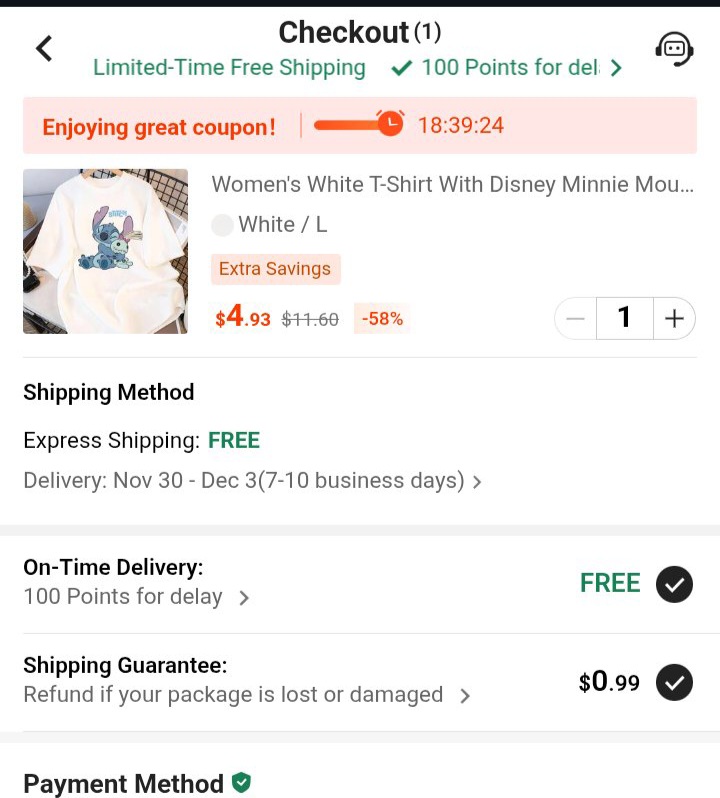
Shein displays the available shipping methods and applicable charges during checkout.
Review the estimated delivery date and shipping cost before selecting your preferred option.
The available shipping methods, delivery estimates and charges depend on your destination and the options Shein offers for your order.
Step 7: Choose your payment method and complete your order
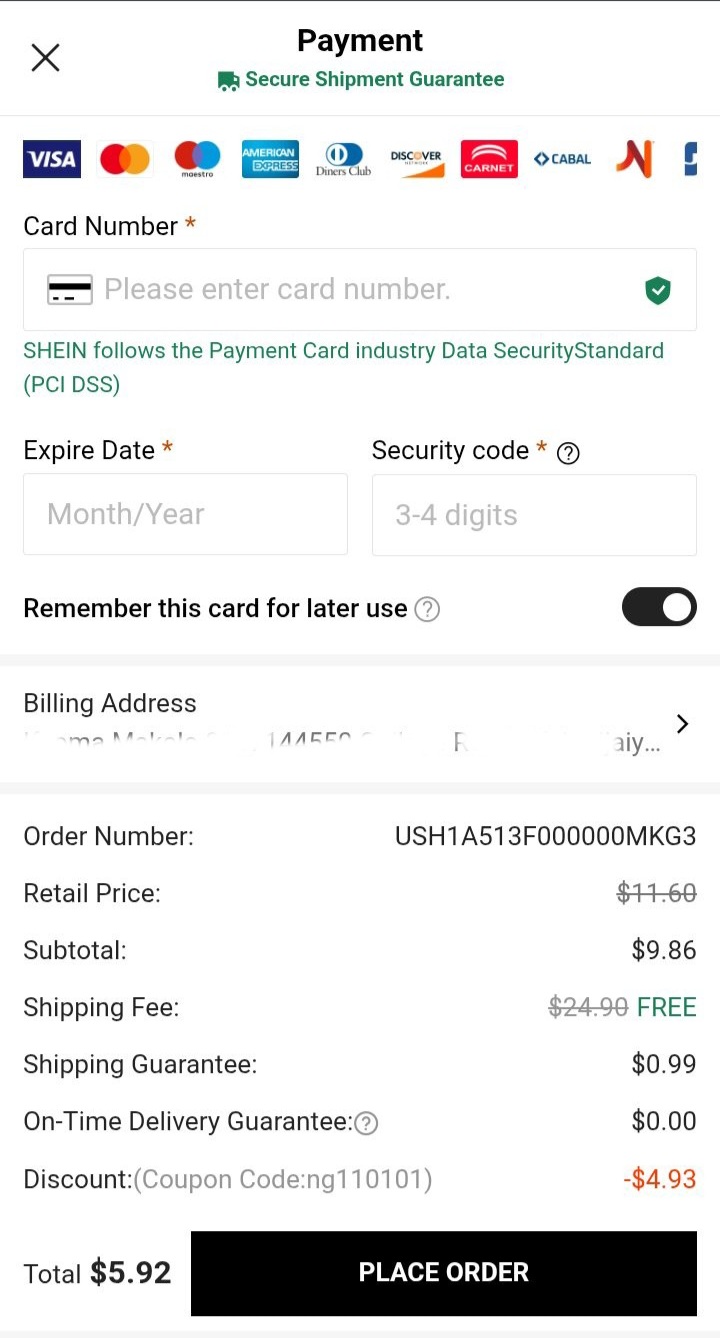
Select an available payment option and enter your payment details.
If you are using a virtual dollar card, provide the card information requested at checkout.
Confirm that your card has enough funds to cover the purchase and any applicable charges.
Once the payment is successful, Shein will send an order confirmation. Keep your order number and confirmation email for future reference.
Ways to Pay for Shein in Nigeria
Payment method |
How it works |
What to consider |
| Pouchers Virtual Dollar Card | A virtual USD card you can fund and use for international online purchases. | Requires card creation and sufficient funding before checkout. |
| Nigerian Naira Debit Card | A local bank card used to pay for purchases in foreign currencies where supported. | Your bank must permit international online transactions, and Shein must accept the card. |
| Physical Dollar Card | A physical USD-denominated card issued by a bank. | Requires an eligible account and sufficient dollar balance. |
| Shein Gift Card | A prepaid Shein gift card that can be redeemed towards eligible purchases. | Availability and redemption restrictions may depend on the card’s region and Shein’s checkout terms. |
1. Pouchers Virtual Dollar Cards
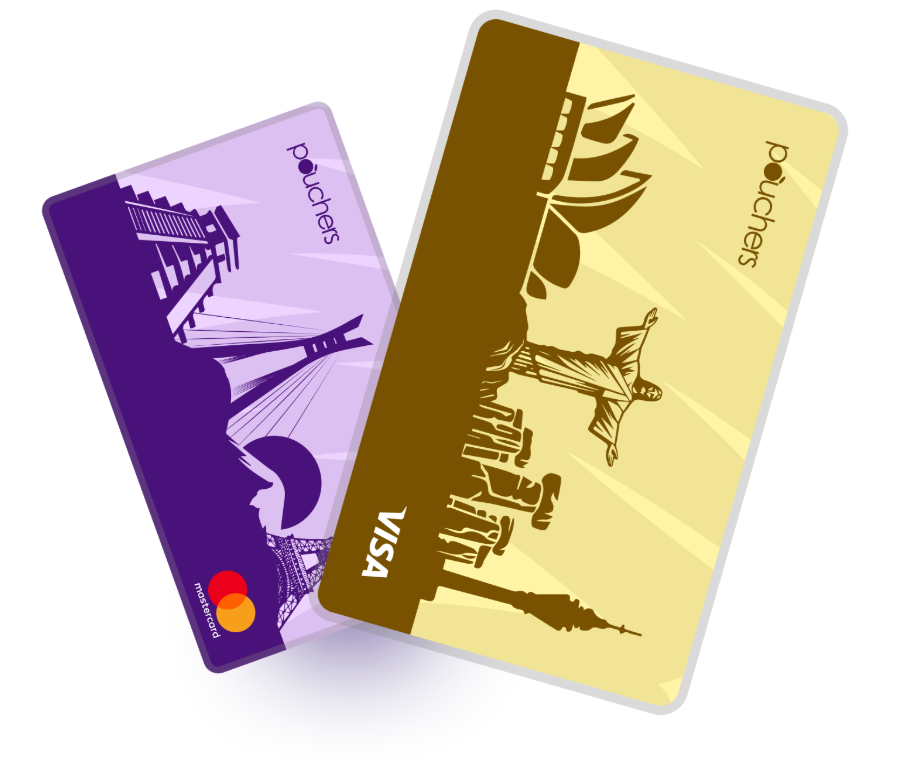
A Pouchers virtual dollar card gives you a convenient way to pay for your Shein purchases in USD. This is a great option if your Nigerian debit card doesn’t support international transactions or if you prefer to keep your international shopping expenses separate from your everyday Naira transactions. You can fund your Pouchers virtual dollar card directly from your Pouchers Naira wallet.
Here are some Benefits of Pouchers Virtual Dollar Cards:
- Quick card creation: Create your Standard Virtual Dollar Card directly from the Pouchers app.
- Affordable creation fee: A Standard Virtual Dollar Card costs $2 as a one-time creation fee.
- Free card top-ups: Pouchers does not charge an additional card top-up fee.
- International payments: Use your card for eligible online purchases and international subscriptions.
You can also fund your card using your Pouchers USD wallet, where supported.
To get started, visit and create your virtual dollar card.
2. Nigerian Naira Debit Cards
Some Nigerian banks issue debit cards that support international online payments. If your card supports international transactions and Shein’s payment processor accepts it, you may be able to complete your purchase on the shopping platform.
It is important to note that your bank may impose restrictions on international transactions, online spending or foreign currency payments. Your card may also have international spending limits.
3. Physical Dollar Card
A physical dollar card is issued in a physical form and linked to a domiciliary account of a local bank.
However, getting a physical dollar card may involve additional requirements, such as opening an eligible account, providing identification and paying applicable issuance or maintenance fees.
If you primarily shop online, a virtual dollar card may be more convenient because you do not need to wait for a physical card to be issued and delivered.
4. Shein Gift Card
A Shein gift card is a prepaid card that you can redeem on the platform to pay for eligible purchases.
Shein gift cards may have regional restrictions, meaning a gift card purchased for one country may not work on another country’s version of the platform.
How to Use a Pouchers Virtual Dollar Card to Pay on Shein
Step 1: Create your Pouchers account
Download the Pouchers app on the Google Play Store or App Store to get started.
Complete the required account verification process to access the available services.
Step 2: Fund your Pouchers wallet
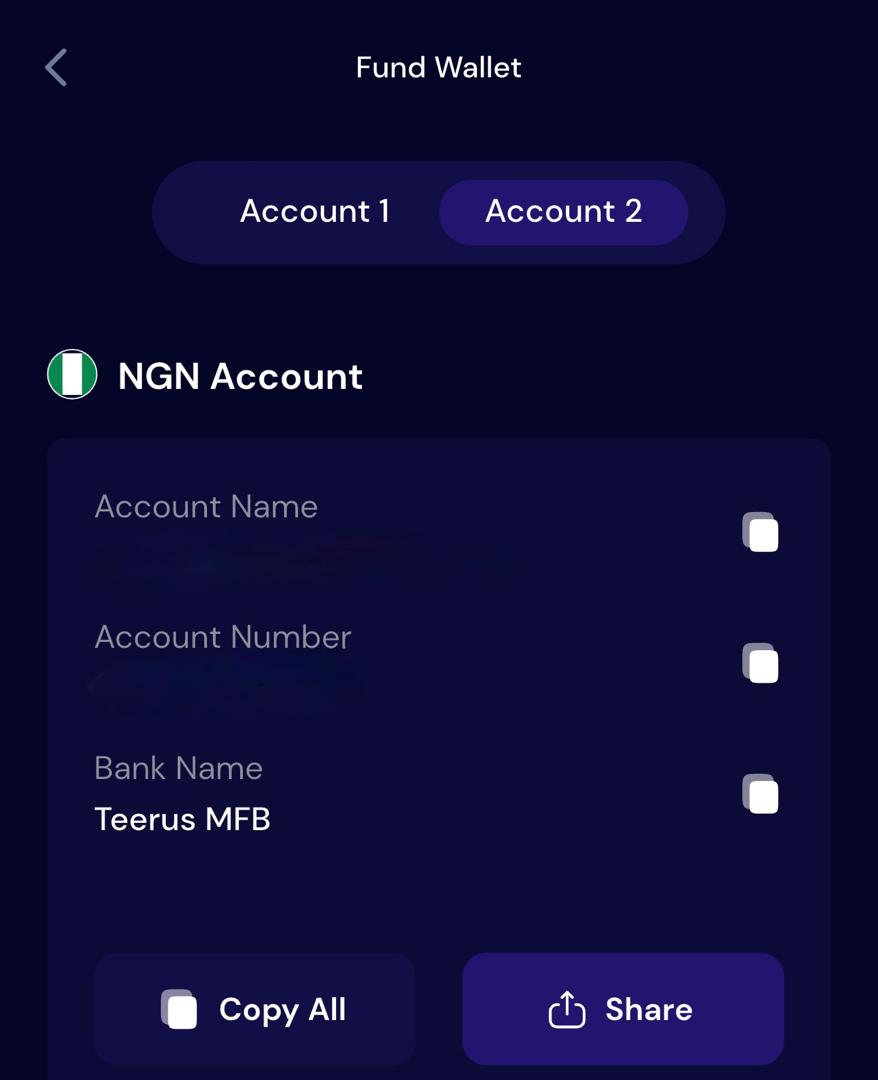
Add funds to your Pouchers wallet to enable card creation fee. For a Standard Virtual Dollar Card, you need a minimum of $4. This covers the $2 creation fee, leaving the other $2 as your card balance.
To add Naira to your account on the platform, open your Naira wallet and tap Receive to access your account details. Copy the details and make a transfer from a bank account linked to your BVN.
If you want to fund your USD wallet with stablecoins such as USDT or USDC. Open the USD wallet, tap Fund, select Stablecoin, and follow the prompts to complete your deposit.
Step 3: Create your Pouchers virtual card
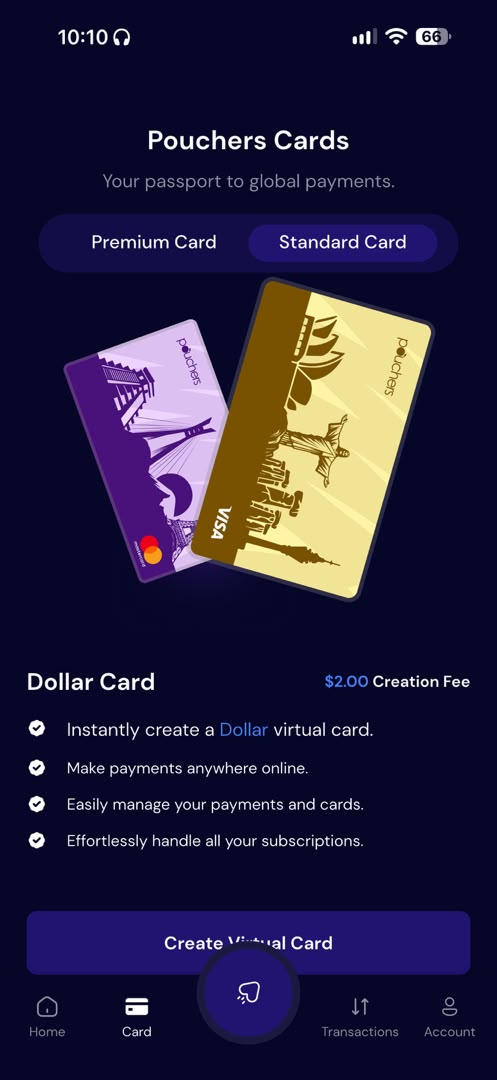
Once your wallet has enough funds, open the Virtual Card section and select the card you want to create. Choose your preferred network, Visa or Mastercard, then follow the prompts to complete the card creation process.
Step 4: Fund your virtual dollar card
Before making your Shein purchase, ensure your card has enough funds. Go to Virtual Card, select your newly created card, and tap Fund Card. Enter the amount you want to add, choose your Naira or USD wallet as the funding source, and confirm the transaction.
Step 5: Return to Shein and proceed to checkout
Open your Shein shopping cart and click Checkout.
Confirm your delivery address, shipping option and total order amount.
Under the payment section, select the credit or debit card option.
Step 6: Enter your Pouchers card details
Open your Pouchers app and copy your virtual card details.
Enter the requested information on Shein, such as Cardholder name, Card number, Expiry date, and CVV.
Ensure that the information is accurate before submitting your payment.
Step 7: Complete your payment
Review your order amount and click the payment or place order button.
If the transaction is successful, Shein will confirm your purchase.
You can now return to your Shein account to view your order details.
If you experience a payment problem, check your available card balance and transaction status before trying again.
Why Your Shein Payment Declined?
1. Insufficient card balance
Your card may not have enough money to cover the entire purchase. Remember that your total payment may include the product prices, shipping charges and applicable taxes.
How to fix it: Check your available card balance and ensure it covers the complete order amount. If you are using Pouchers, fund your virtual dollar card before trying again.
2. International transaction restrictions
Some Nigerian banks restrict international transactions on certain debit cards. Even when your account has sufficient funds, your bank may decline a transaction because international online payments are disabled or restricted.
How to fix it: Contact your bank to confirm your card’s international transaction settings. Alternatively, use a virtual dollar card that supports international online payments.
3. Incorrect card details
Entering an incorrect card information can prevent your payment from going through.
How to fix it: Carefully review your payment information and correct any errors before submitting the transaction again.
4. Payment security verification
Shein and its payment processors may request additional verification when a transaction triggers a security check. This can happen when the payment information requires confirmation or the transaction cannot be verified.
How to fix it: Check your email for any verification request from Shein. Follow the instructions provided and contact Shein customer support if the issue continues.
5. Card restrictions or merchant acceptance
Not every card works on every international shopping platform. Your card issuer may impose transaction restrictions, or the merchant’s payment processor may reject the card.
How to fix it: Confirm that your card supports international online purchases and that it is accepted at your Shein checkout. You can also try another supported payment method.
How Much Does a Shein Order Cost in Nigeria?
The total amount you spend ordering from Shein depends on the products you purchase, their quantities and the applicable shipping charges.
Since Shein displays product prices in your selected shopping currency, you also need to account for the exchange rate when paying from Nigeria.
Here are the main expenses to consider:
1. Product prices
This is the cost of the clothing, shoes, bags, accessories or other products you add to your shopping cart. Shein sells products at different prices, so your total depends on what you choose.
2. Shipping fees
Shein charges shipping fees based on the available delivery options and your destination. The shipping cost for your address will appear during checkout. You should check the amount before confirming your purchase.
Do not assume that every order qualifies for free shipping. Any free shipping offer or minimum spending requirement displayed at checkout will determine whether you qualify.
3. Currency conversion
If your order is priced in US dollars or another foreign currency, your Naira spending will depend on the applicable exchange rate.
For example, if your shopping cart costs $50, you need to know the current Naira equivalent before funding your payment card. With Pouchers, you can view the Naira equivalent of your desired dollar funding amount in the app before confirming the transaction.
4. Card creation and funding fees
If you use a virtual dollar card, consider the card creation fee and any applicable wallet funding charges.
For example, Pouchers charges a one-time $2 creation fee for its Standard Virtual Dollar Card. Card top-ups are free, although Naira wallet deposits attract a 1% processing fee capped at ₦1,000 per deposit.
5. Applicable customs charges
International purchases may also attract customs duties, taxes or other import-related charges depending on the applicable Nigerian import regulations and the nature and value of the goods. Check the relevant requirements before placing a large order so you can budget appropriately.
How to calculate your total Shein shopping cost
Use this simple calculation:
Total shopping cost = Product prices + Shipping fees + Currency conversion cost + Applicable taxes or import charges.
Add any payment-related fees separately when calculating how much money you need to fund your purchase.
The best way to know exactly how much your Shein order will cost is to review the final checkout amount and calculate its Naira equivalent before paying.
How to Track a Shein Order
Step 1: Log in to your Shein account
Open the Shein website or mobile application and sign in using your registered account details.
Step 2: Open My Orders
Go to your profile and select My Orders.
You will see your previous and current purchases, including their order statuses.
Step 3: Select the order you want to track
Find the specific order you want to monitor.
Click or tap the Track button beside the order.
Step 4: Check your shipping information
Shein will display available tracking information, including the delivery method, carrier details and shipment progress.
If your order has been shipped, you should be able to view its tracking number where available.
You can also use the tracking number on the shipping company’s official website when carrier tracking becomes available.
What if your Shein tracking information is not updating?
Sometimes, your tracking information may remain unchanged for a few days. This does not automatically mean your package is lost. Shein explains that tracking updates may take approximately 3 to 5 days when a package is travelling between facilities and waiting for its next scan.
If your tracking information remains unchanged beyond the expected period, contact Shein customer support for assistance.
Frequently Asked Questions
1. Can I order directly from Shein in Nigeria?
Yes. You can order directly from Shein in Nigeria by selecting Nigeria as your delivery destination, adding your preferred products to your shopping cart and providing a valid Nigerian delivery address.
The available shipping options and charges will appear during checkout. You can then select an accepted payment method to complete your purchase.
2. Can I use a virtual dollar card to pay for Shein in Nigeria?
Yes. You can use a virtual dollar card to pay for Shein purchases in Nigeria, provided the card is supported by Shein’s payment processor.
For example, Pouchers offers a Standard Virtual Dollar Card that you can fund from your Naira wallet and use for eligible international online payments.
3. Is it safe to order from Shein in Nigeria?
Yes. You can shop on Shein safely by using its official website or mobile application and following basic online shopping precautions.
Before purchasing, read product descriptions, check customer reviews and confirm the seller’s information where applicable.
Also, use a secure payment method, protect your account details and provide an accurate delivery address.
4. Does Shein offer free shipping to Nigeria?
Shein may offer free shipping when your order meets the applicable promotional requirements. However, free shipping availability and minimum spending requirements can change.
Select Nigeria as your delivery destination and check the shipping section at checkout to see the available offers, delivery options and charges for your order.
5. Can I pay for Shein on delivery in Nigeria?
Cash on delivery is not a standard payment option you should rely on when ordering directly from Shein in Nigeria.
You should be prepared to pay online using an accepted payment method, such as a supported debit card or virtual dollar card, before your order is processed.
Conclusion
Ordering from Shein in Nigeria is possible, provided you select the correct delivery destination, provide accurate shipping information and use an accepted payment method.
If your Nigerian bank card keeps failing at checkout, consider using a virtual dollar card to pay for your international purchases.
With Pouchers, you can create a Standard Virtual Dollar Card for a one-time $2 fee, fund it from your Naira wallet and use it for eligible online shopping transactions.
Visit , create your account and get your virtual dollar card ready before your next Shein shopping trip.