








If you have been using Snapchat to take cute pictures but haven’t considered promoting your business on the platform, it is time to step up your game. Running ads on international platforms is one of the best ways for your business to reach a wider audience, but paying for them from Nigeria can be a hassle.
From restrictions on naira debit cards to international spending limits, several things can make paying for your ads frustrating. That is why you need a reliable payment method that works not just for your first campaign, but for subsequent payments, too.
This guide shows you the payment methods that work for Snapchat Ads in Nigeria and how to use them.
Payment Methods That Work for Snapchat Ads in Nigeria
| Payment method | How it works | Main advantage | Possible drawback |
| Pouchers Virtual Dollar Card | Create a virtual dollar card, fund it, and add it as your payment method on Snapchat Ads. | Convenient to create and fund from Nigeria, without opening a domiciliary account. | Requires a one-time card creation fee of $2 for a Standard card or $5 for a Premium card. |
| Domiciliary Account Cards | Use a debit card linked to your domiciliary account to pay for your ads. | Allows you to pay with foreign currency already held in your account. | Requires a domiciliary account and foreign currency to fund it. |
| Advertising Agencies and Ad Resellers | Pay a third-party provider to run or fund Snapchat Ads on your behalf. | Useful if you cannot make direct payments with your own card. | May involve extra service fees and give you less control over billing. |
1. Pouchers Virtual Dollar Card (Recommended)
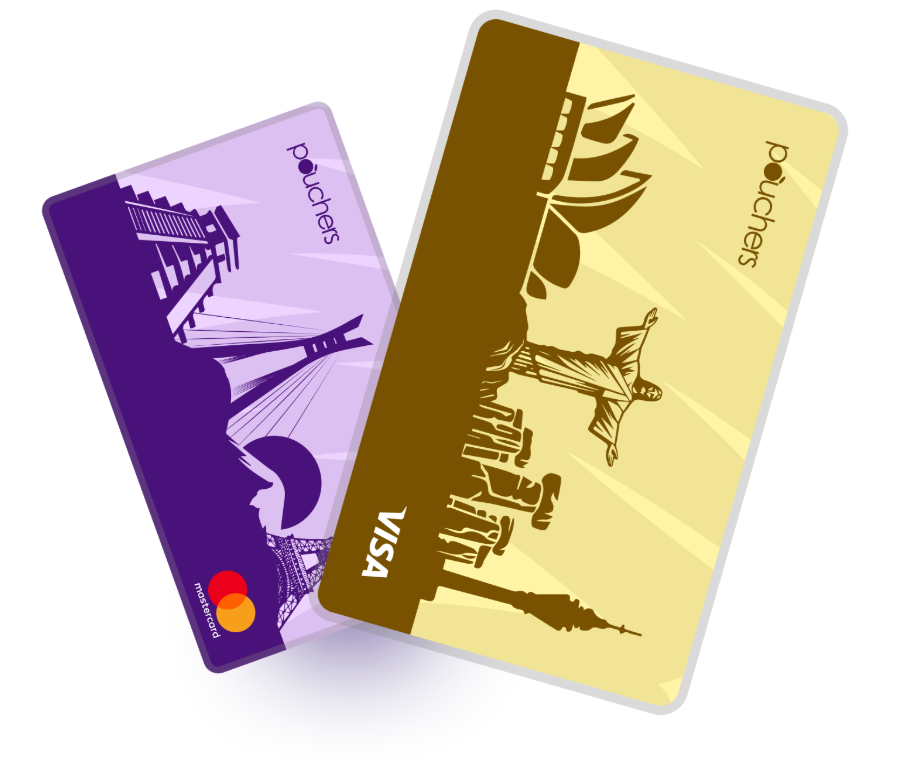
A Pouchers virtual dollar card is one of the easiest and cheapest ways to pay for Snapchat Ads from Nigeria. You can create and fund the card online in minutes, then use it to pay for your campaigns instantly.
It comes in two variants: Standard and Premium. A Standard card has a one-time creation fee of $2, while a Premium card costs $5. Both variants are available as Visa or Mastercard cards, and you can hold both at the same time.
Here are some features that make the Pouchers virtual dollar card a convenient option for Snapchat Ads payments:
- Multiple funding options. You can fund your card from your Naira wallet or USD wallet using dollars, USDT or USDC.
- Free card top-ups, so you can add funds whenever you need to without paying additional top-up fees.
- No Monthly maintenance fee.
- Advanced security features, including encryption, fraud monitoring, biometric authentication and two-factor authentication (2FA), to help protect your account and card.
- Freeze or unfreeze your card directly in the app, giving you control over transactions if you notice suspicious activity.
2. Domiciliary Account Cards
Another option is to pay with a physical debit card linked to a domiciliary bank account. This is a type of foreign bank account you can open in Nigeria to hold foreign currencies, usually US dollars. You can use the linked card to pay for international transactions without worrying about naira-to-dollar conversion.
However, opening and maintaining a domiciliary account can take more time and effort. Some banks require you to visit a branch in person and provide referees before opening one.
3. Advertising Agencies and Ad Resellers
If you are unable to pay for the Ads directly, you can use an advertising agency or ad reseller to handle payments on your behalf. These providers allow you to pay in naira or through other local payment methods while they fund your Snapchat ad account.
However, this convenience often comes at an extra cost. Some agencies and resellers charge service fees on top of your actual ad budget. You may also have less control over your ad account and billing.
How to Pay for Snapchat Ads with a Pouchers Virtual Dollar Card
Step 1: Create and Verify Your Pouchers Account
Download the Pouchers app and create an account using your details. Follow the in-app instructions to complete your registration and verify your identity.
Step 2: Fund Your Pouchers Wallet
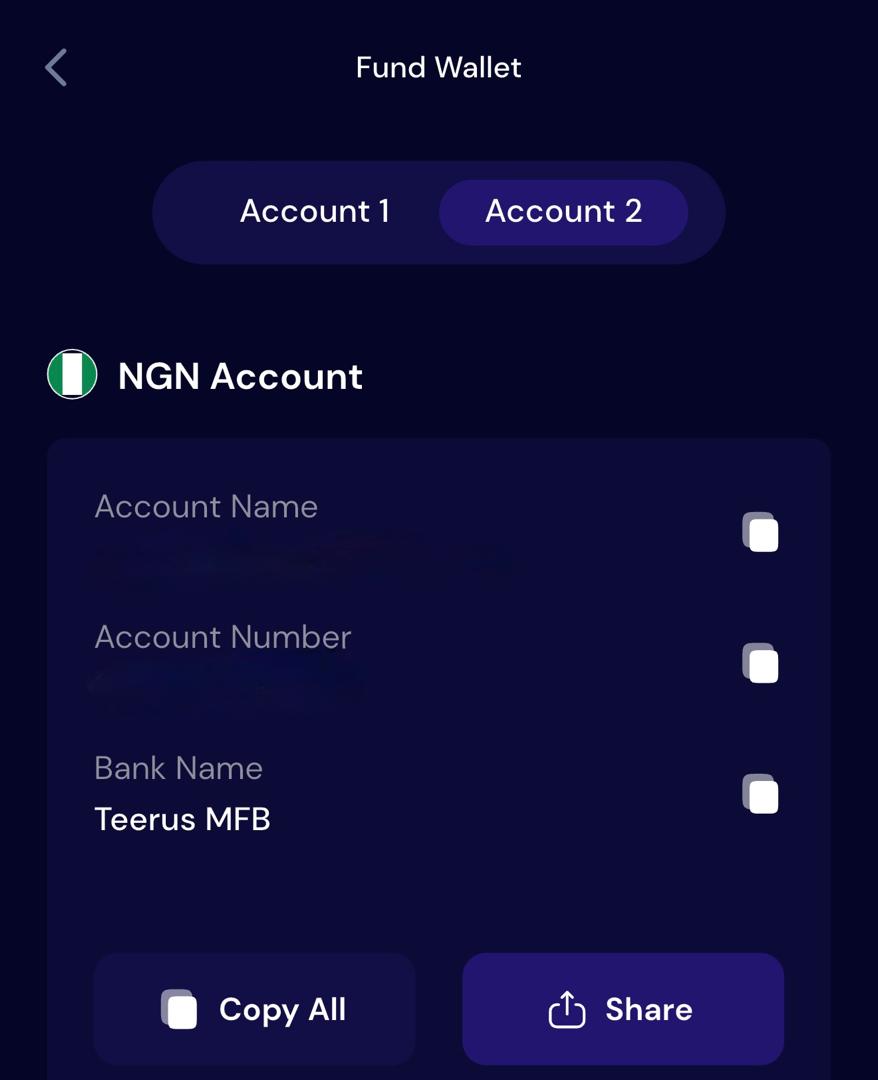
Add funds to your Pouchers wallet to cover the card creation fee. If you are creating a Standard Virtual Dollar Card, you need at least $4. The $2 creation fee is deducted during activation, while the remaining $2 becomes your card balance.
To fund your Naira wallet, open the wallet and tap Receive to get your account details. Copy the details and make a bank transfer from an account linked to your BVN.
You can also fund your USD wallet with USDT or USDC. Simply open the USD wallet, select Fund, choose Stablecoin, and follow the instructions to complete your deposit.
Step 3: Create Your Pouchers Virtual Dollar Card
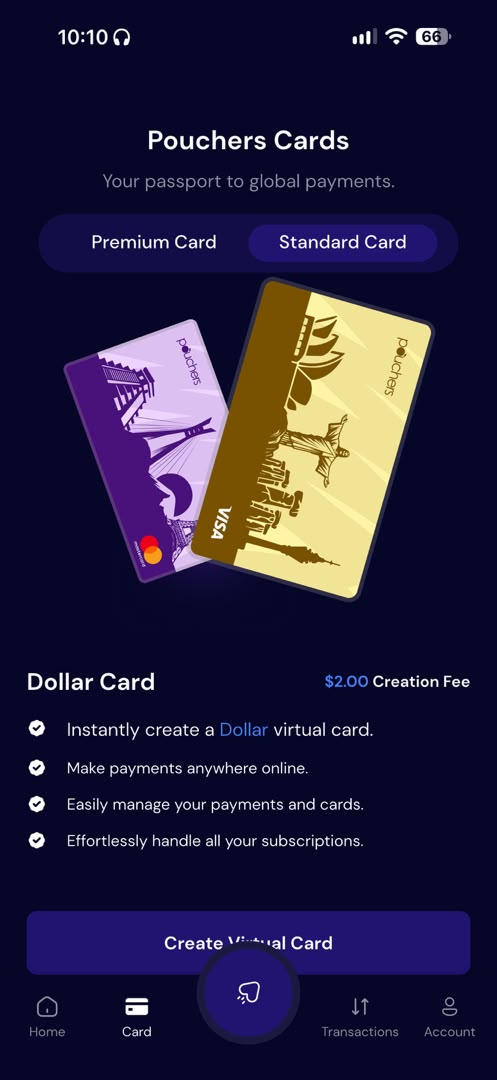
Once your wallet is funded, go to the Virtual Card section of the app and select the type of card you want to create. Then choose your preferred card network, Visa or Mastercard.
Follow the prompts to choose a card colour and enter your address details. Review and complete the process.
Step 4: Fund Your Virtual Dollar Card
After creating your card, add enough funds to cover your planned ad budget.
Open the Virtual Card section, select your card, and tap Fund Card. Enter the amount you want to add and choose whether to fund it from your Naira or USD wallet. Review the transaction details and confirm.
Step 5: Add Your Pouchers Card to Snapchat Ads Manager
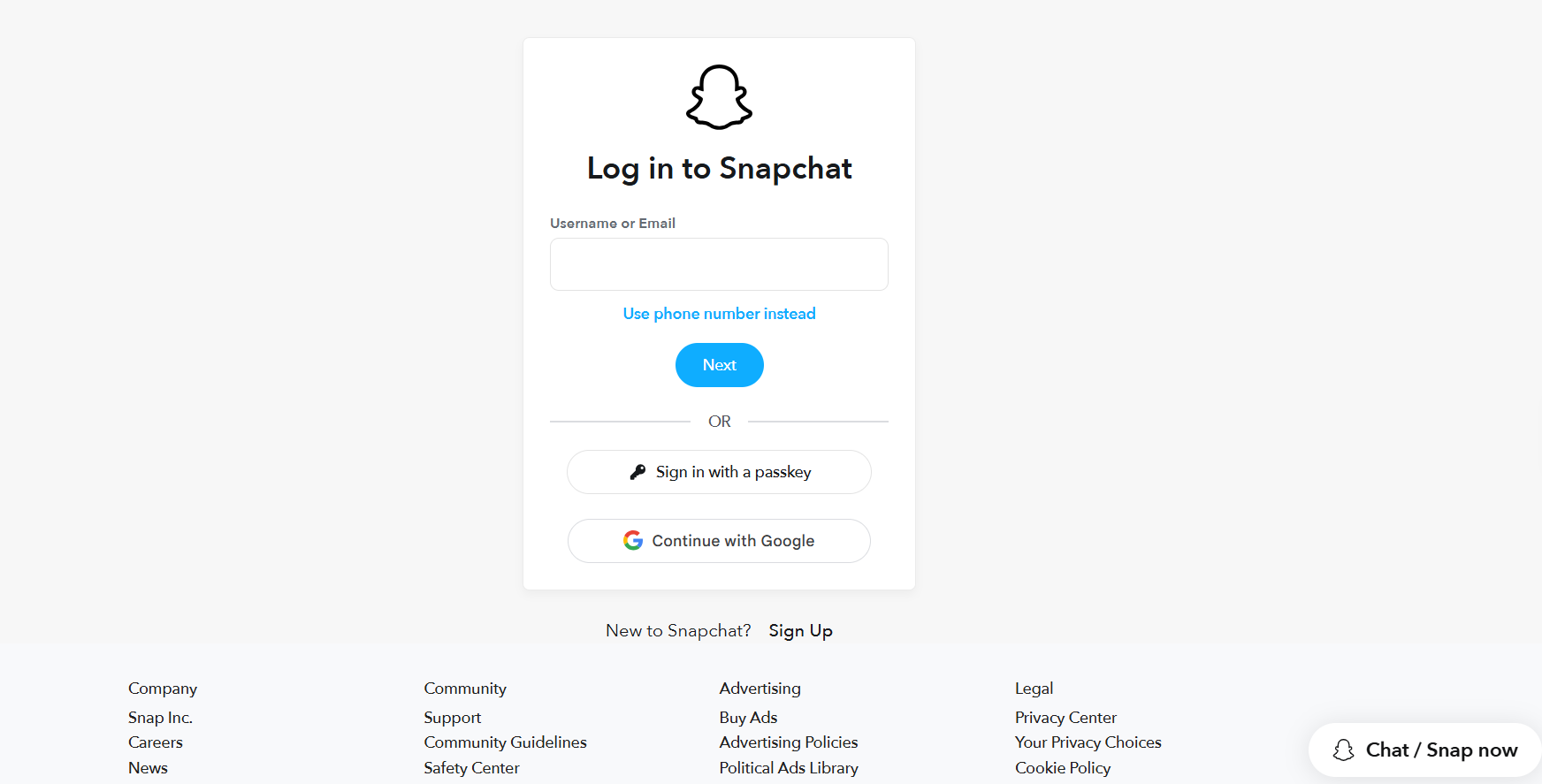
- Log in to your Snapchat Ads Manager account.
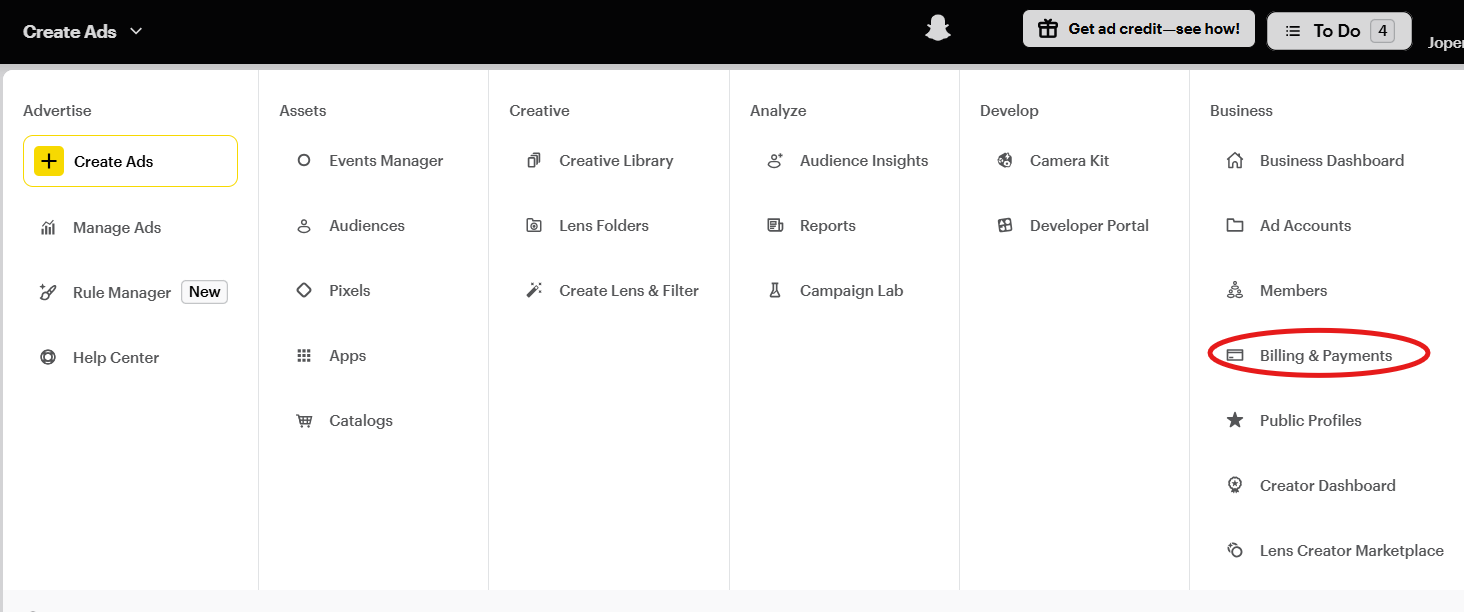
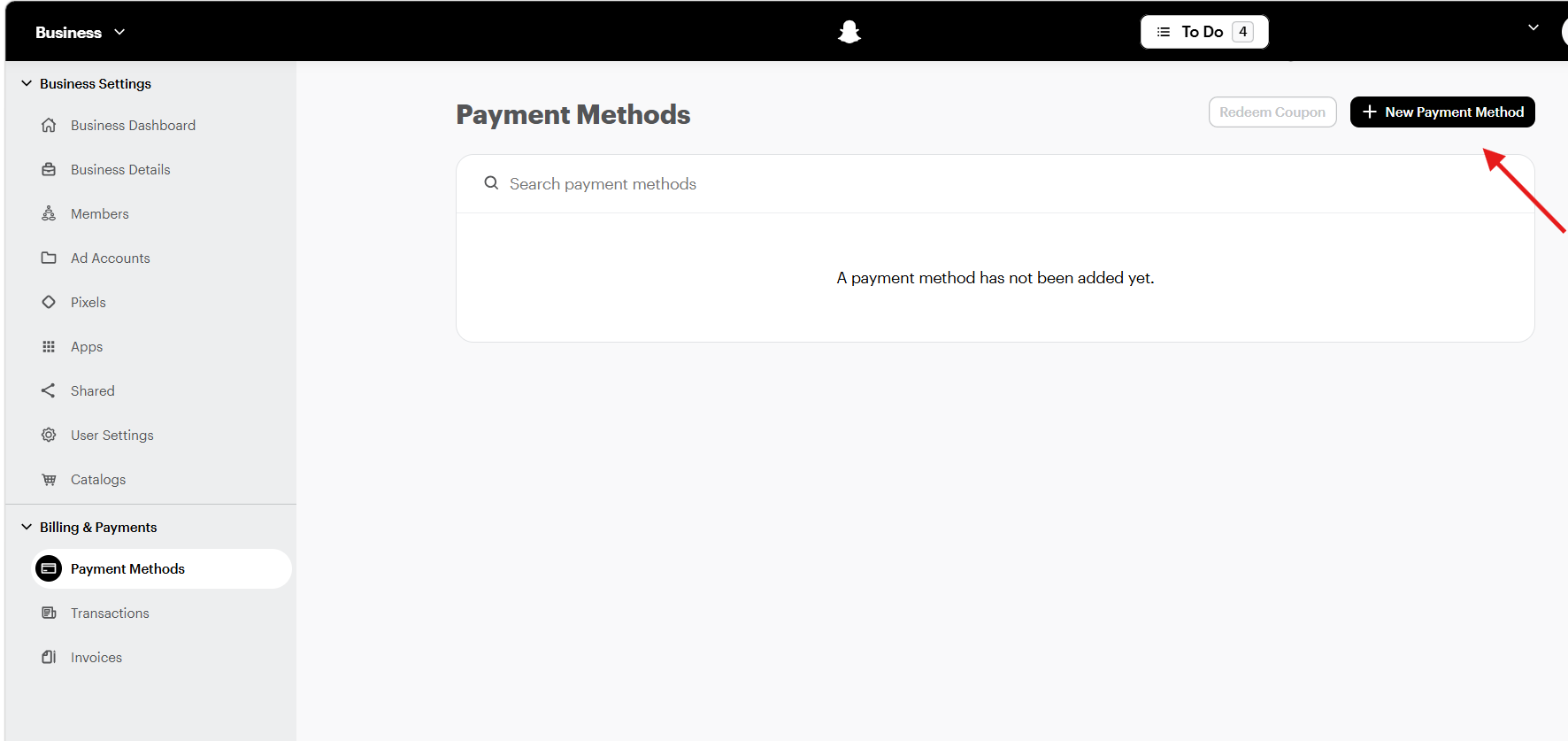
- Click Business at the top of the dashboard. From the options, select Billing & Payments, then open Payment Methods.
- Under Payment Methods, Click Add New Payment Method
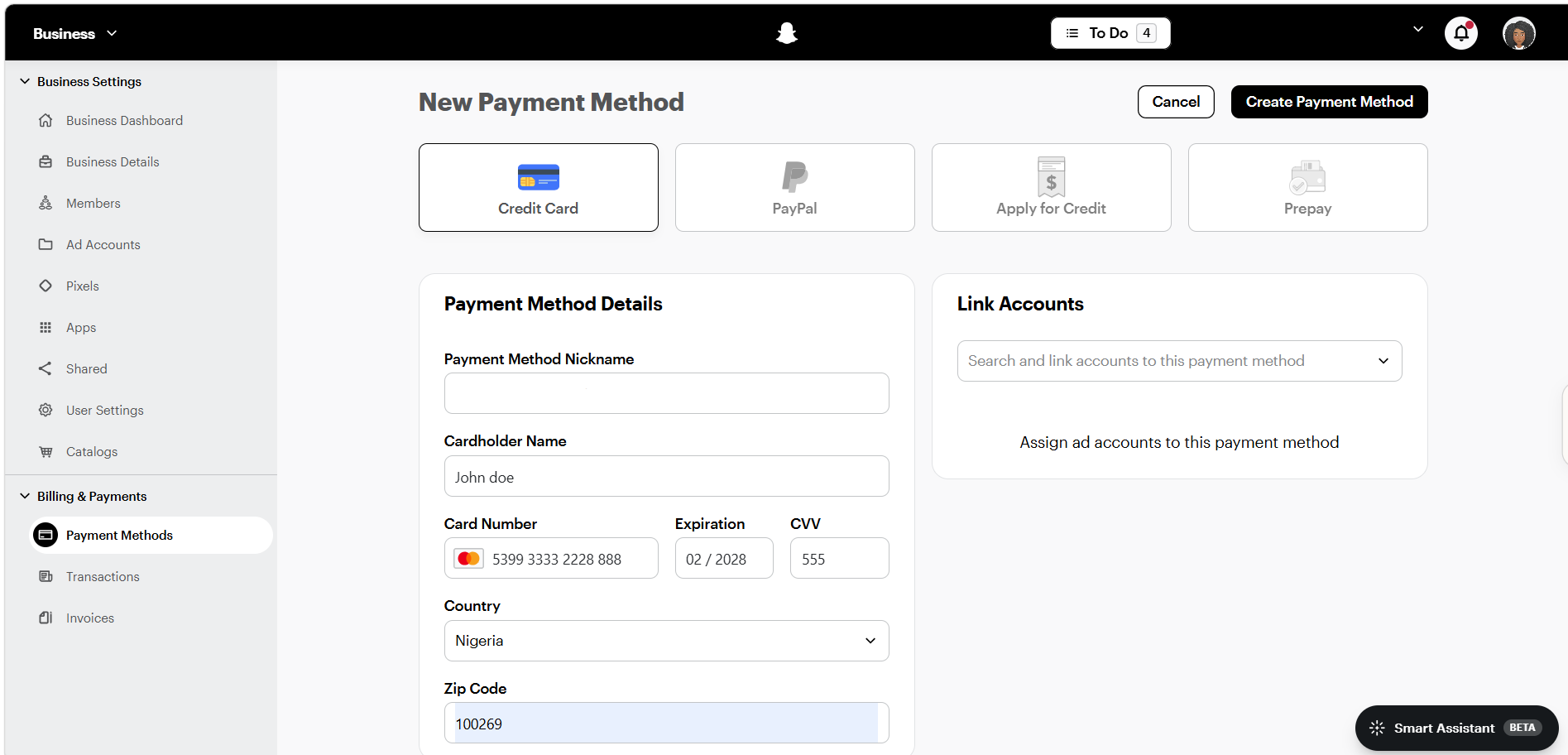
- Select Credit Card as your payment method, then enter your Pouchers Virtual Dollar Card number, expiry date, and CVV.
- Next, open Ad Accounts from the menu, select the ad account you want to pay for, and click Members and Billing. Select your Pouchers card as the funding source and click Save Changes.
Step 6: Set Up Your Campaign and Pay
Create your Snapchat ad campaign, choose your advertising objective, audience, and placements, then set your budget. Review your campaign settings and submit the ad for review.
Note: During account setup, Snapchat asks you to choose your ad account currency. Choose carefully because you cannot change it after creating the account. If you are paying with a Pouchers virtual dollar card, USD is the ideal choice. This keeps your ad spend and card balance in the same currency and avoids an additional currency conversion
How Snapchat Ads Billing Works
Here are the billing options available for Snapchat Ads and how each one works:
1. Revolving Billing
Revolving billing means Snapchat lets you run ads first and charges your saved payment method later, either when your ad spend reaches a billing threshold or on your billing date.
This is the most relevant option if you plan to pay with your Pouchers virtual dollar card. You add and link the card to your ad account, and Snapchat charges it for your ad spend.
2. Insertion Orders
Insertion orders allow you to agree on an advertising budget and payment terms with Snapchat before your ads run. The platform then runs your campaigns based on the agreed amount and terms. This option is usually for businesses with larger advertising budgets.
3. Prepaid Balances
With prepaid billing, you add money to your Ads account before running your ads. The platform deducts your advertising costs from that balance as your campaigns run. Once the balance runs out, you need to add more money before your ads can continue.
How Much Does It Cost to Advertise on Snapchat in Nigeria?
The amount you spend depends on your campaign goals, how long you want your ads to run, and the audience you want to reach.
Here is a breakdown of Snapchat’s advertising budget requirements and other costs to consider:
| Budget or cost | Amount | What you need to know |
| Minimum daily budget | $5 per day | This is the least amount you can spend daily on Snapchat Ads. |
| Recommended daily budget | $20-$50 per day | Snapchat recommends this amount to give its advertising system enough time and data to learn which people are most likely to respond to your ads. |
| Lifetime budget | Set your preferred amount | This is the total amount you are willing to spend throughout your campaign. For example, if you set a lifetime budget of $200 for a 10-day campaign, Snapchat will manage your spending within that overall limit. |
| International transaction fees | Depends on your card provider | Some banks and card providers charge additional transaction fees and currency conversion charges when you make payments to foreign platforms |
How Much Should You Set Aside?
You can choose a budget higher than Snapchat’s minimum, depending on what you want to achieve. If you choose to spend $20 daily for 10 days, your total advertising budget will be $200. You can also set a lifetime budget to control the total amount you spend throughout the campaign.
Frequently Asked Questions
1. Does Snapchat Ads charge automatically?
Yes, if you use revolving billing, Snapchat automatically charges your saved payment method. This usually happens when your ad spend reaches a billing threshold or when your billing date arrives.
2. Can I use the same payment card for multiple Snapchat Ad accounts?
Yes, you can use the same payment card for multiple ad accounts under your Business account. You simply need to link the card to each ad account you want to use it for.
3. Can I change my Snapchat Ads account currency after registration?
No, Snapchat does not allow you to change your ad account currency after creation. If you need to use a different currency, you will have to create a new ad account and select your preferred currency during setup.
4. What happens when my Snapchat Ads payment fails?
If Snapchat cannot process your payment, your ad account will be placed on hold, and your campaigns will pause until you clear the outstanding balance. You can try the payment again, update your card details, or add another payment method.
Make Your Snapchat Ad Payments Work
With a Pouchers virtual dollar card, you can fund your card from your Naira or USD wallet and use it to pay for your Snapchat campaigns. Choose the card that works for you, add it to your ad account, and keep your campaigns running.
Download the Pouchers app to create your virtual dollar card today and make paying for Snapchat Ads easier.
Sources Used:
- Flexible Snapchat Ads Pricing — Snapchat for Business
- How to Create an Ad Account — Snapchat Business Help Center
- How to Switch Payment Methods — Snapchat Business Help Center
- Fix Failed Payments — Snapchat Business Help Center
- How to Create a Standard Virtual Dollar Card on Pouchers — Pouchers Help Center
- How to Fund Your Virtual Dollar Card With Naira — Pouchers Help Center
- How to Fund Your Card with Your USD Account — Pouchers Help Center