








Amazon Kindle Direct Publishing (KDP) allows Nigerian authors to publish ebooks and print books and earn royalties from their work. But getting your book published is only half the process. You also need a reliable way to receive your earnings from Amazon.
Choosing a suitable payment method helps you avoid rejected transfers and unnecessary delays.
In this guide, you’ll learn how to get paid on Amazon KDP in Nigeria, the available payment methods, how a foreign-currency account works, the fees involved, and how to withdraw your royalties to a Nigerian bank account.
How Can Authors Receive Payments from Amazon KDP in Nigeria?
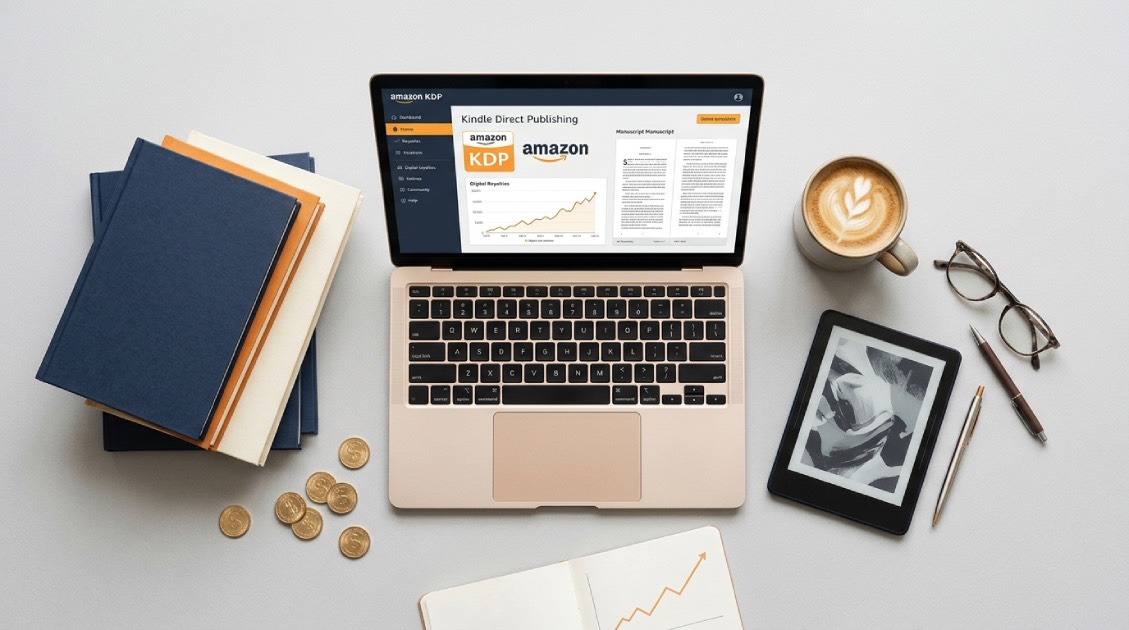
1. Direct deposit
Direct deposit, also called electronic funds transfer (EFT), sends money electronically from Amazon to your bank account. This method is generally faster than receiving a cheque and avoids the delays associated with mailing and depositing physical payments.
While direct deposits are not available for Nigerian banks, authors can still receive their royalties through a Pouchers foreign bank accounts in USD, pound, euro, and Canadian dollar (CAD).
2. Wire transfer
A wire transfer sends money electronically from one financial institution to another. Nigerian authors can receive these payments directly into their Nigerian bank accounts, provided their banks support the transfer.
Your bank may charge a fee for receiving the transfer, and currency conversion can affect the final amount credited to your account. International wire transfers to Nigerian bank accounts typically take 2–5 business days to arrive, although intermediary banks, public holidays, and bank processing times can cause delays.
How to Receive Payments from Amazon KDP in Nigeria with Pouchers
Pouchers provides foreign-currency accounts in USD, EUR, GBP, and CAD. These accounts help Nigerian users receive international payments, hold foreign-currency balances, and convert their money to naira when needed. Follow these steps to set up your account and manage your KDP royalties.
Step 1. Create a Foreign-Currency Account
- Download the Pouchers app from the Google Play Store or App Store. Then create an account or simply sign in if you already have a Pouchers account.
- Then select the foreign-currency account you need, and follow the activation instructions. Pouchers supports USD, EUR, GBP, and CAD accounts.
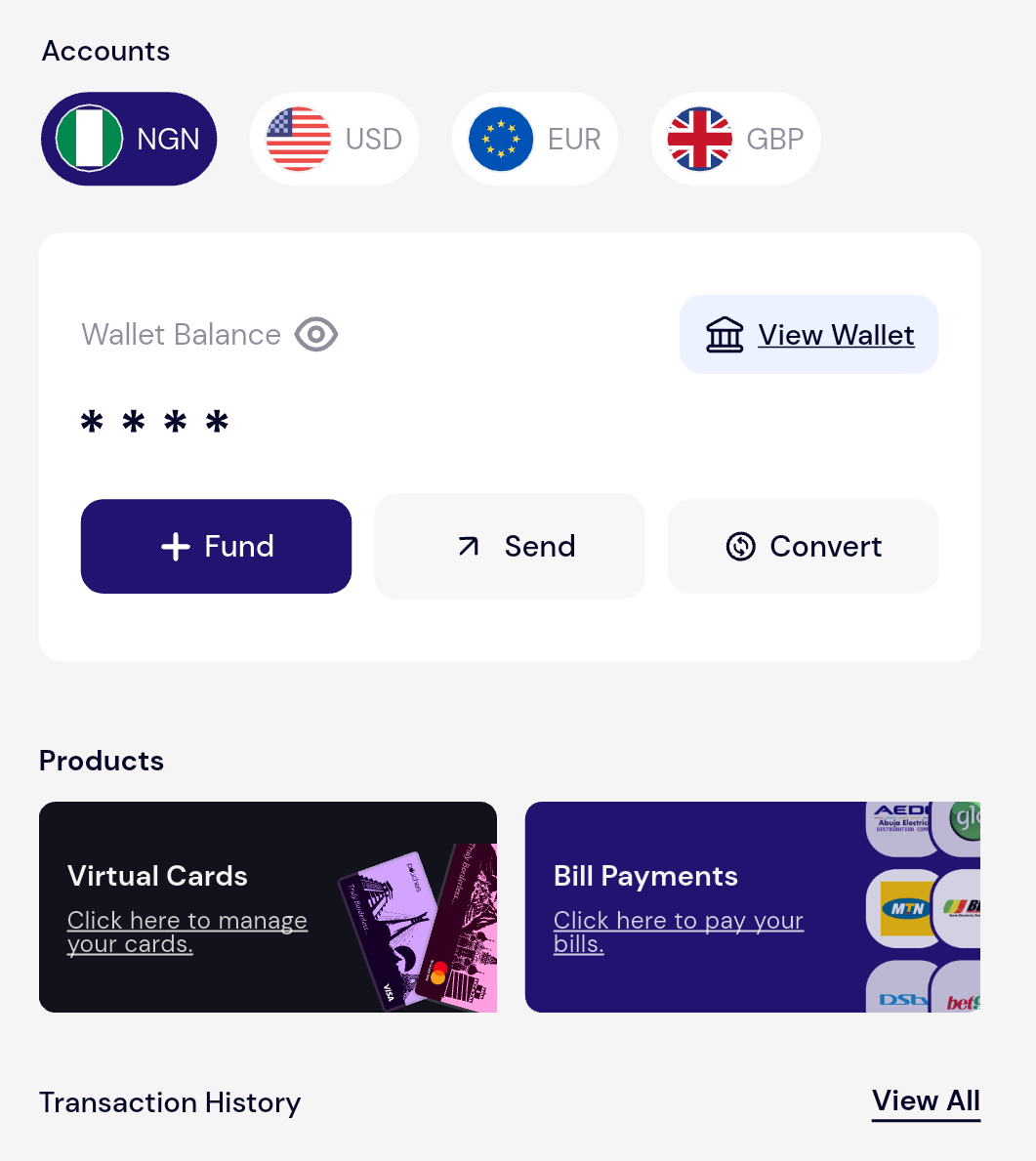
- Enter your details and provide the required identification documents. Once your account is active, open the relevant currency account in the app and retrieve your banking details.
Step 2. Complete Your KDP Payment Details
After creating your foreign-currency account, sign in to your Amazon KDP account. Then follow these steps:
- Go to “Your Account” on Amazon KDP
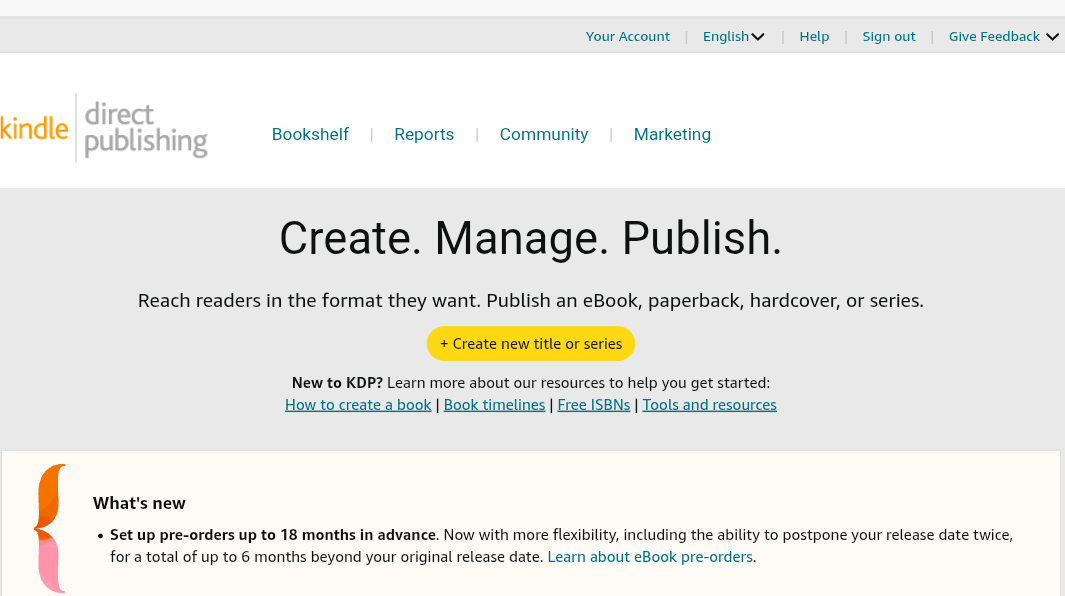
- Go to “Getting Paid”
- Select ” Add a bank account”
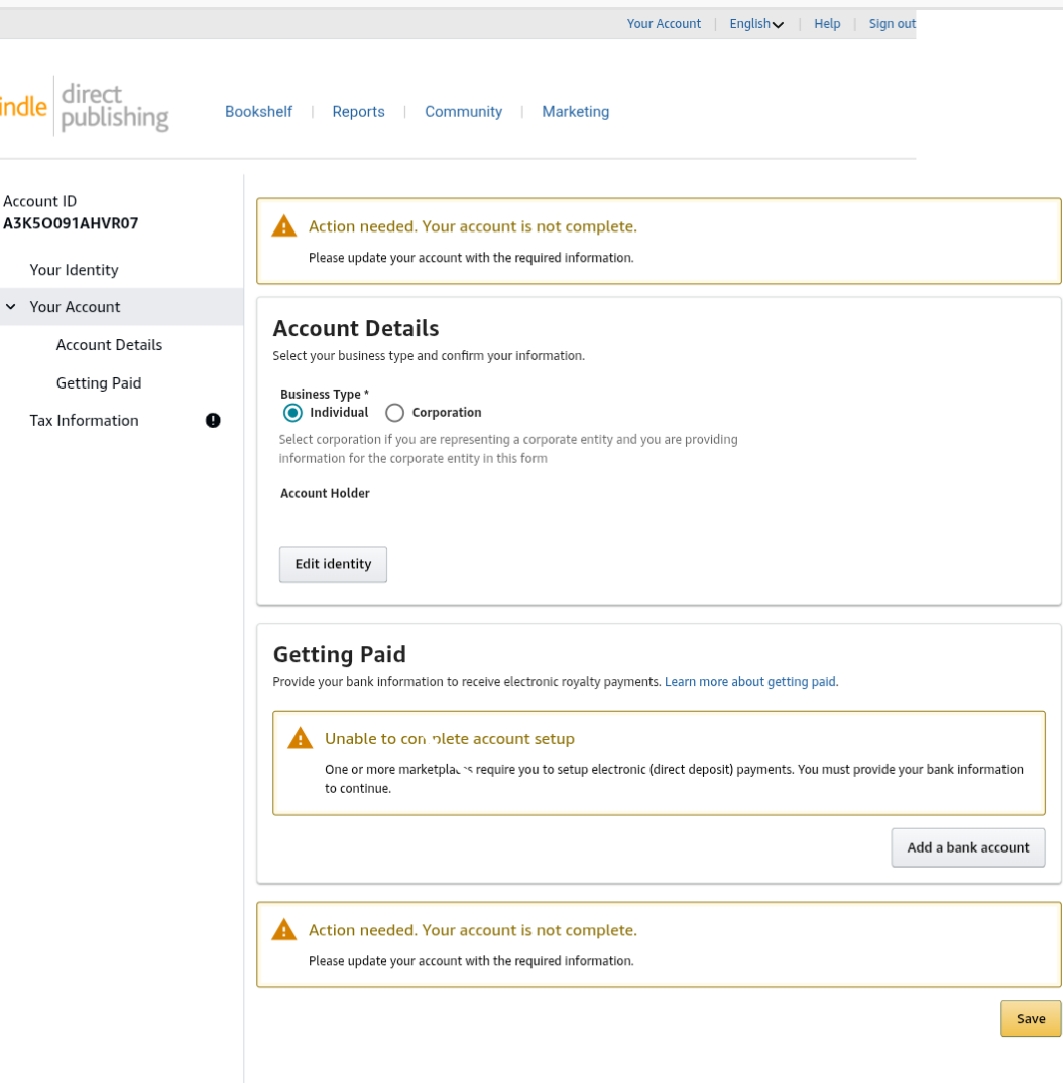
- Enter the required banking details from your Pouchers account
- Review the information carefully and save your changes.
Step 3. Receive Your KDP Royalties
Once your payment details have been accepted, Amazon pays your eligible royalties according to its payment schedule.You can monitor your sales and royalty reports through your KDP dashboard. When Amazon issues a payment, check your receiving account for the incoming funds.
Why Use Pouchers to Receive and Manage Amazon KDP Payments?
1. Receive and manage foreign-currency earnings
Pouchers offers USD, EUR, and GBP foreign bank accounts. These options help you manage eligible international payments in the preferred currency you use instead of immediately converting every balance to naira.
2. Decide when to convert your money
You can hold your available foreign currency balance and convert the amount you need when you need naira. Before confirming a conversion, check the displayed exchange rate and applicable charges so you know how much you will receive.
3. Withdraw money to your Nigerian bank account
Once you have converted your balance to naira, you can transfer the available funds to your Nigerian bank account using the Naira or Pouchers-to-Pouchers transfer options. This gives you a way to access your earnings for everyday expenses without managing the conversion and withdrawal process through separate services.
4. Spend Dollars with a Virtual Dollar Card
Pouchers also offer a virtual dollar card for eligible online or in-store purchases. After you receive your USD payment from Amazon KDP, you can choose to spend it through the Pouchers virtual Dollar card to pay for online services such as subscriptions.
How Much Does It Cost to Receive Amazon KDP Payments with Pouchers?
| Transaction | Fee | Processing Time |
| ACH deposit | 0.7%, minimum $2 and maximum $10 | 1-3 business days |
| FedNow Deposit | 0.7%, minimum $2 and maximum $10 | Instant |
| USD wire deposit | Flat $15 | 1 business day |
| Currency conversion | No fees | Depends on the transaction |
| Withdrawal to a Nigerian bank account | No fees | Depends on the withdrawal method |
ACH and FedNow Fees
Pouchers charges 0.7% for incoming ACH and FedNow payments, with a minimum fee of $2 and a maximum of $10. For example, receiving $100 attracts a $2 fee, while receiving $1,000 attracts a $7 fee. For larger payments, the fee cannot exceed the applicable maximum.
Wire Transfer Fees
Pouchers charges a flat $15 for incoming USD wire transfers. Your sending or intermediary bank may charge additional fees, so check the total cost before arranging a transfer.
Currency Conversion and Withdrawal
Pouchers does not charge a fee for currency conversion. However, the exchange rate applies and this determines how much Naira you receive.
How Long Does It Take to Receive Your Money?
Amazon KDP generally pays standard royalties around 60 days after the end of the month in which the sales were reported. Expanded Distribution royalties take around 90 days. Once Amazon initiates payment, the time it takes for the funds to reach your account depends on the payment method and the receiving account’s processing times.
| Payment Method/Stage | Processing Time |
| Standard KDP royalties | Approximately 60 days after the end of the sales month |
| Expanded Distribution royalties | Approximately 90 days after the end of the sales month |
| USD account: ACH deposit | 1–3 business days |
| USD account: FedNow deposit | Instant |
| USD account: wire deposit | 1 business day |
| EUR account: SEPA Instant | Up to 5 minutes |
| GBP account: | Up to 30 minutes or 3 business days for larger amounts |
Frequently Asked Questions
1. How do I get paid on Amazon KDP in Nigeria?
Sign in to KDP, open Your Account, and select Getting Paid. Use your Pouchers foreign bank account details to receive your eligible royalties in a supported foreign currency.
2. Can I use a USD account to receive Amazon KDP payments?
Yes. You can use your Pouchers USD account details to set up payments in KDP and receive eligible royalties in US dollars.
3. Can I receive KDP payments in EUR or GBP?
Yes. Pouchers offers EUR and GBP foreign-currency accounts alongside its USD account, giving you options for receiving and holding earnings in Euros or Pounds.
4. How do I withdraw my KDP earnings to a Nigerian bank account?
Receive your royalties into your Pouchers foreign-currency account, convert your available balance to naira, and withdraw the money to your Nigerian bank account.
5. How long does Amazon KDP take to pay?
Amazon generally pays standard royalties about 60 days after the end of the sales month and Expanded Distribution royalties after about 90 days. Once payment is initiated, processing time depends on the transfer method.
Conclusion
Getting paid on Amazon KDP in Nigeria requires a payment method that meets Amazon’s requirements and gives you a convenient way to access your earnings. If you want to manage your royalties in a foreign currency, a suitable foreign-currency account can help you receive supported payments, hold your balance, and convert money when you need naira.
Pouchers offers USD, EUR, and GBP accounts, currency conversion, withdrawals to Nigerian bank accounts, and a Virtual Dollar Card for eligible online spending. With Pouchers, you can receive and hold your Amazon KDP royalties in USD, EUR, or GBP, convert your earnings to naira, and withdraw directly to your Nigerian bank account.
You can also manage your foreign-currency balances, track applicable fees, and access your accounts through the Pouchers app.