








X (formerly Twitter) is a microblogging platform where a single post can get thousands of eyes on it in minutes. If you want to promote your business, that is a huge opportunity to reach potential customers, spark conversations, and drive sales. Advertising on the platform takes this a step further by helping you reach the right audience.
But since X bills Nigerian advertisers in USD, paying for your ads from Nigeria can be tricky. You may run into payment restrictions or international spending limits. You will need a payment method that can handle dollar payments without these hassles.
This guide will show you how to pay for X Ads in Nigeria using payment methods that actually work.
How to Pay for Twitter Ads in Nigeria
| Payment method | How it works | Best for |
| Pouchers Virtual Dollar Card | Create a virtual dollar card, fund it, and add it to your X Ads account. | Individuals and businesses looking for a convenient way to pay internationally. |
| Foreign Account Cards | Open a domiciliary account with a Nigerian bank and use its linked dollar card to pay for your ads. | Advertisers who already have or can maintain a domiciliary account. |
| Advertising Agencies and Resellers | Pay an agency or reseller to fund your advertising account or handle campaign payments on your behalf. | Businesses that prefer to outsource ad payments and campaign management. |
1. Pouchers Virtual Dollar Card
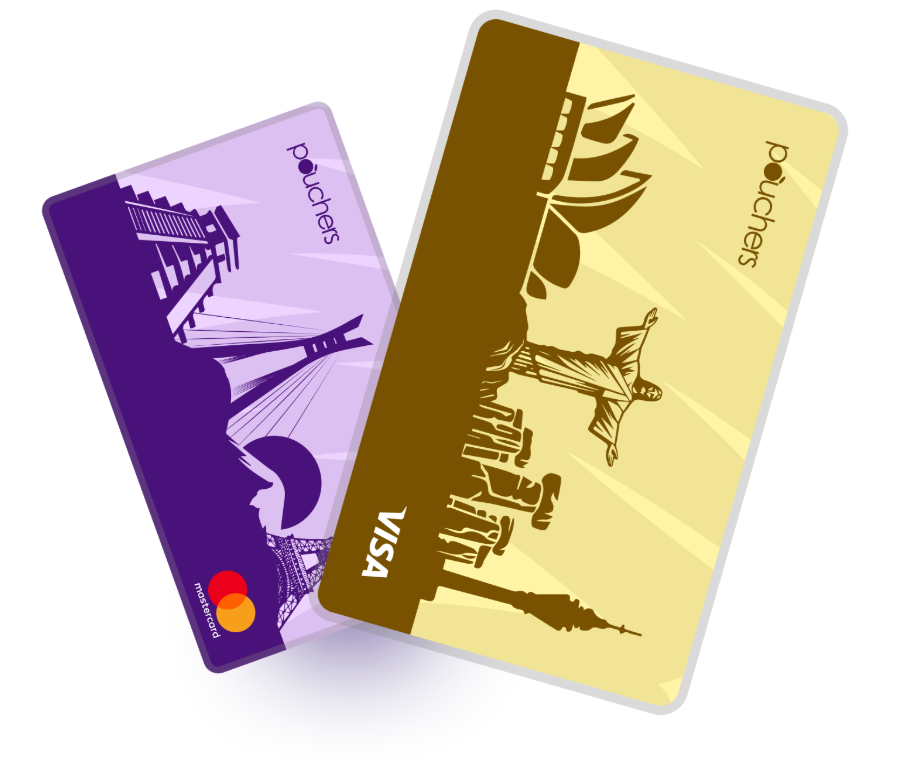
If your goal is convenience, affordability, and instant funding, a Pouchers virtual dollar card is the best option for you. You can create your card as a virtual Visa or Mastercard in minutes, fund it from your Pouchers Naira or USD wallet, and use it to pay for your campaigns.
The card comes with a one-time creation fee of $2 for the Standard version and $5 for the Premium version. It also has no monthly maintenance or card top-up fees, making it one of the cheapest dollar cards in Nigeria. This means you can keep funding your card without worrying about extra charges and use it for recurring payments for as long as you run your ads.
Here are some other features that make the Pouchers virtual dollar card a solid choice:
- Multiple funding options. You can fund your card with Naira or use dollars, USDT, or USDC from your USD wallet.
- Advanced security features, including encryption, fraud monitoring, biometric authentication and two-factor authentication (2FA), help keep your account and card safe.
- Freeze or unfreeze your card directly in the app whenever you notice suspicious activity, giving you more control over your transactions.
2. Foreign Account Cards
You can also pay with a dollar card linked to a domiciliary account. A domiciliary account is a foreign currency account opened with a Nigerian bank that allows you to hold and transact in foreign currencies. Some Nigerian banks issue dollar debit cards linked to these accounts, which you can use for international payments.
However, this option is more convenient if you already have the account. Opening a brand new one can take time, and there are several requirements you will need to meet before you can get a card. You may also have to deal with account maintenance fees and other banking charges.
3. Advertising Agencies and Resellers
Another option is to pay an advertising agency or reseller to fund your X Ads account on your behalf. Some agencies offer ad payment services to businesses that have trouble making international payments, while others manage the entire advertising campaign for you.
This option can save you the stress of handling payments yourself, but you may have to pay additional service fees. It’s also important to work with a reputable provider to avoid payment issues or scams.
How to Pay for Twitter Ads with a Pouchers Virtual Dollar Card
Step 1: Create and Verify Your Pouchers Account
Start by downloading the Pouchers app and signing up with your details. Follow the instructions in the app to complete your registration and verify your identity.
Step 2: Fund Your Pouchers Wallet
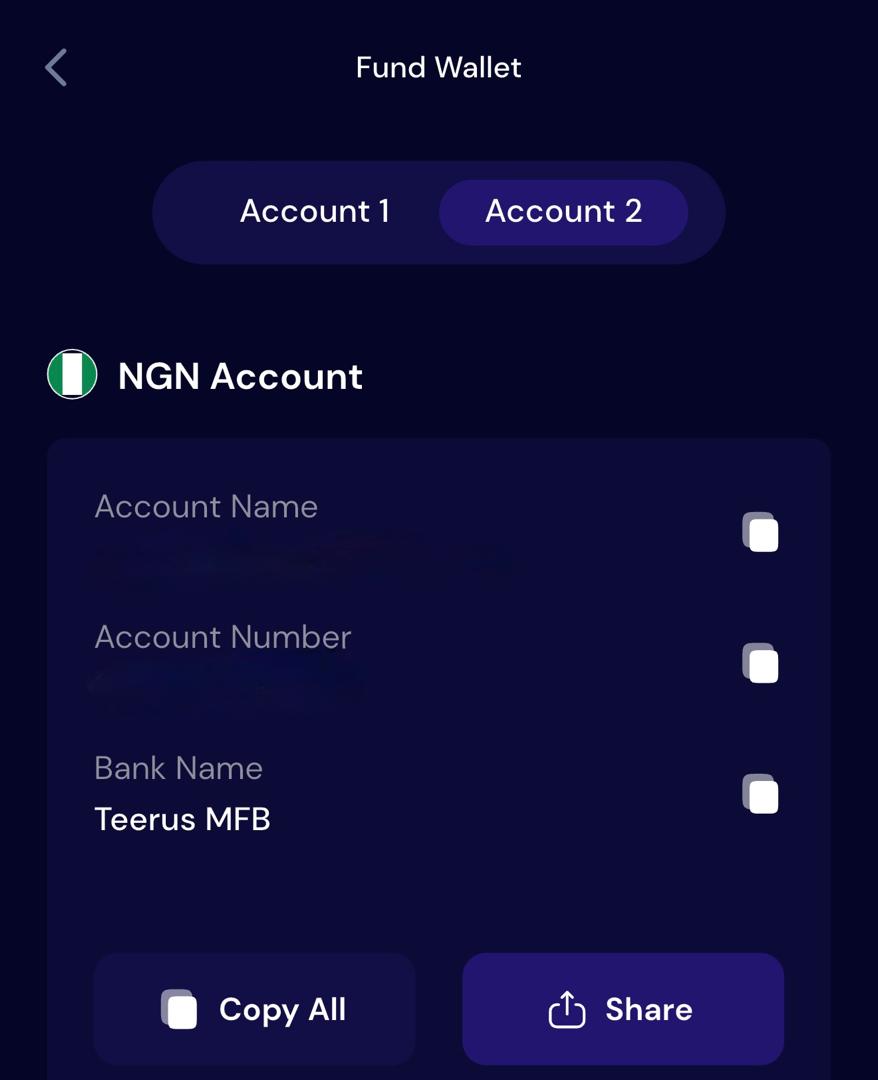
Add funds to your Pouchers wallet to cover the card creation fee. For a Standard Virtual Dollar Card, you need at least $4. This covers the $2 creation fee, leaving the other $2 as your card balance.
To add Naira, open your Naira wallet and tap Receive to access your account details. Copy the details and make a transfer from a bank account linked to your BVN.
To fund your USD wallet with stablecoins, USDT, or USDC. Open the USD wallet, tap Fund, select Stablecoin, and follow the prompts to complete your deposit.
Step 3: Create Your Pouchers Virtual Dollar Card
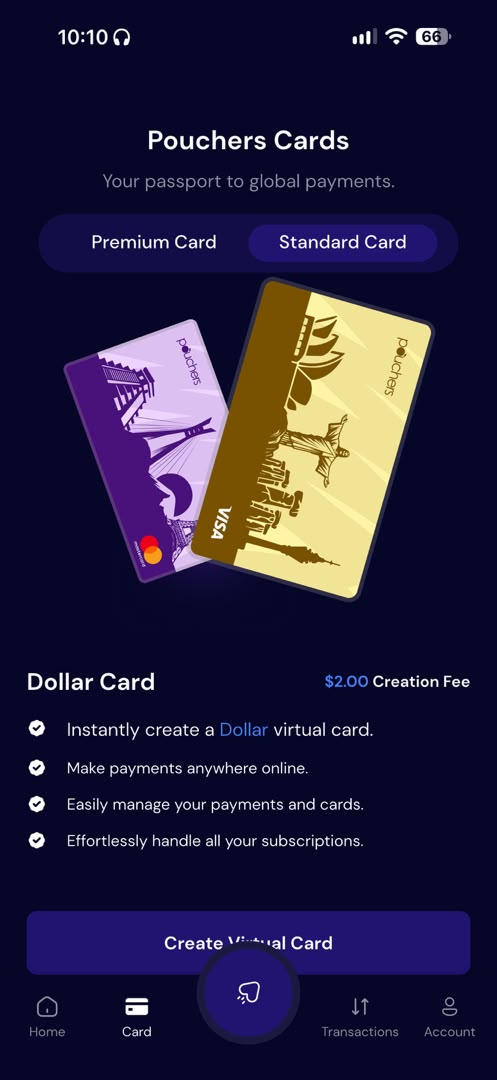
Once your wallet has enough funds, open the Virtual Card section and select the card you want to create. Choose your preferred network, Visa or Mastercard, then follow the prompts to complete the card creation process.
Step 4: Fund Your Virtual Dollar Card
Before adding your card to X Ads, make sure it has enough funds to cover your planned advertising spend.
Go to Virtual Card, select your newly created card, and tap Fund Card. Enter the amount you want to add, choose your Naira or USD wallet as the funding source, and confirm the transaction.
Step 5: Add Your Pouchers Card to X Ads
- Visit X Ads Manager and log in with the X account you want to use for advertising. If this is your first time using X Ads, follow the prompts to set up your advertising account.
- Once you’re in Ads Manager, find and click Billing in the left-hand menu.
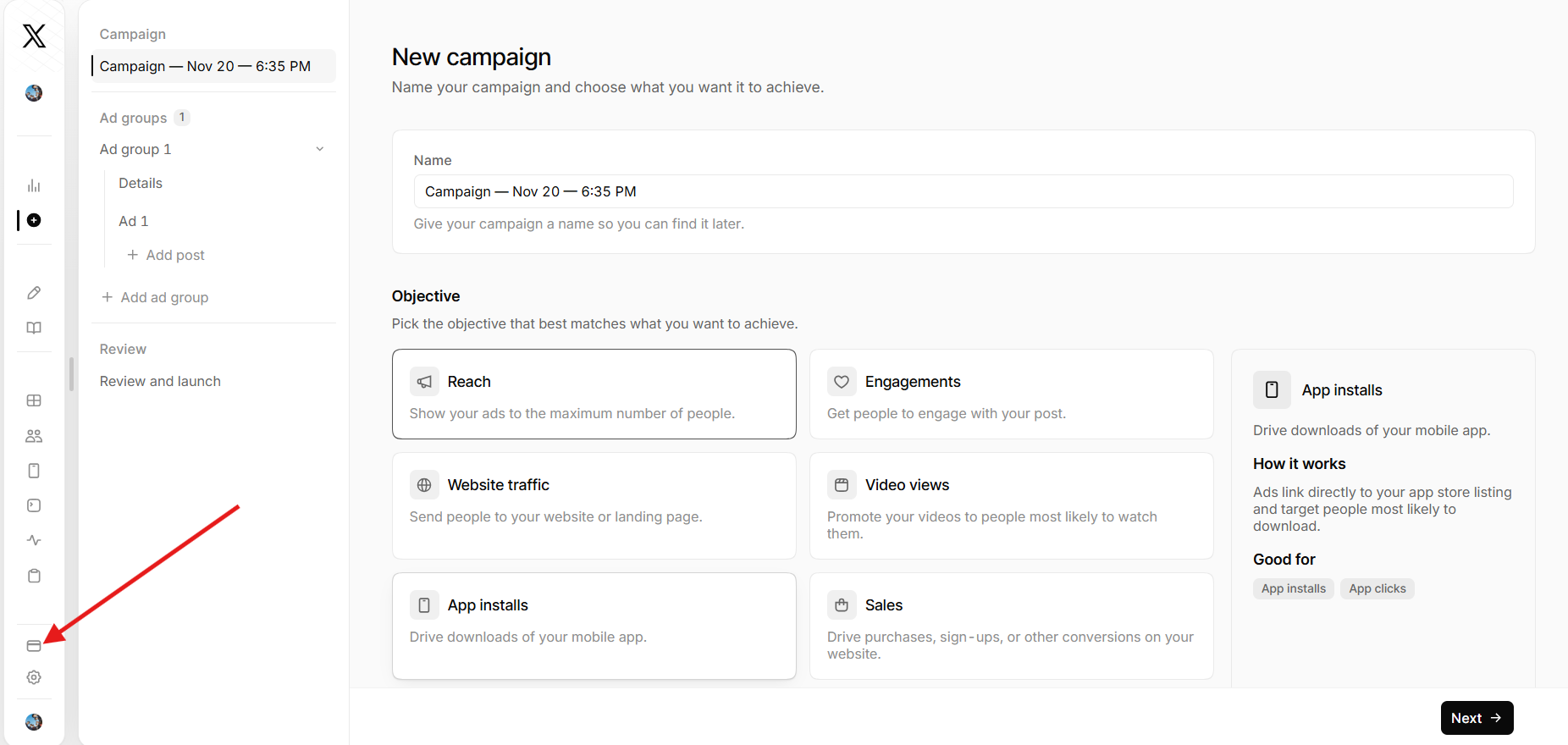
- Select Add card and enter your Pouchers Virtual Dollar Card number, expiry date, CVV, and billing information.
- Enter your details to add the card as a payment method.
Once X approves your card, it should appear as an active payment method in your Billing tab.
Step 6: Create Your X Ads Campaign
With your payment method added, you can set up your campaign. Choose your advertising objective, create your ad, select your target audience, and set your budget.
Review your campaign settings and submit your ad for review. Once X approves it, your campaign can go live.
How X Ads Billing Works
Before running your first campaign, it’s worth understanding how X charges advertisers.
Automatic billing and payment thresholds
X Ads uses an automatic billing system for advertisers who pay by card. Rather than charging you the full campaign budget upfront, X charges your primary payment method as your ad spend accumulates.
Your account has a spending threshold, and this threshold varies by account. X may also charge your card periodically for any outstanding balance, even if you have not reached the threshold.
Why are Nigerian advertisers billed in USD?
X bills Nigerian advertisers in USD because it does not currently support the Naira as an advertising billing currency. So, when setting up your X Ads account, select Nigeria as your country. Your account currency will automatically be set to USD.
Note: When you add a new card to X Ads, the platform may place a temporary $5 authorization hold to verify it. This is not an advertising charge, and the amount should be released within seven days.
Frequently Asked Questions
1. Can I pay for Twitter Ads with a Naira card?
Some Nigerian Naira cards may work, depending on the bank, card type, and international payment restrictions. However, acceptance isn’t guaranteed, so a Pouchers virtual dollar card is a more reliable option.
2. Can I use someone else’s card to pay for Twitter Ads?
Yes, you may be able to add another person’s card as a payment method, provided the card supports international payments and passes payment verification checks. Just make sure you have the cardholder’s permission before using it.
3. Do I need an X Premium subscription to run ads?
Yes, individual advertisers need an eligible X Premium subscription to advertise on the platform. Businesses and government organizations must be verified through X’s Verified Organizations program. All accounts must also meet the platform’s advertising eligibility requirements.
4. When does X charge my card for advertising?
X automatically charges your primary payment method when your advertising spend reaches the billing threshold set for your account. It may also charge your card periodically for any remaining unpaid balance.
Ready for Your Next X Campaign? Get Started with Pouchers
The Pouchers virtual dollar card makes paying for X Ads easier with affordable card creation fees, flexible funding options, and no monthly maintenance fees. Create your card in minutes and enjoy a convenient way to pay for your campaigns and keep your advertising running smoothly.
Sources Used:
- Ads Account Management — X Help Center
- Billing Basics — X Help Center
- Ads Currency — X Help Center
- How to Create a Standard Virtual Dollar Card on Pouchers — Pouchers Help Center
- How to Fund Your Virtual Dollar Card With Naira — Pouchers Help Center
- How to Fund Your Card with Your USD Account — Pouchers Help Center
- How to Fund Your Pouchers USD Wallet with Stablecoin — Pouchers Help Center